

OP320-A USB-MD204L Programming Cable: The 2026 Guide to Xinjie HMI Connectivity & Industrial IoT Integration
1. Strategic Overview: The OP320-A USB-MD204L Cable in the 2026 Industrial Landscape
As manufacturing floors accelerate their IT/OT convergence strategies in 2026, the humble programming cable has evolved from a simple accessory into a critical infrastructure component. The USB-MD204L Programming Cable for Xinjie OP320-A, MD204L, and MD306L HMI panels represents a cost-optimized yet indispensable bridge between legacy operator interface terminals and modern engineering workstations. With the global push toward predictive maintenance frameworks and digital twin synchronization, having a reliable, high-speed programming link is no longer optional—it is foundational.
The Xinjie OP320-A HMI—a compact 3.7-inch text display panel supporting RS232, RS422, and RS485 physical layers with Modbus 3X/4X protocol stacks—remains widely deployed across Asian and emerging-market PLC-driven automation cells. In 2026, thousands of these panels continue to operate in packaging lines, water treatment plants, conveyor systems, and HVAC control rooms. The Koeed-supplied USB-MD204L cable ensures these assets remain serviceable, reprogrammable, and integrable with cloud-based SCADA overlays such as Ignition, Siemens MindSphere, and locally deployed OPC-UA gateways.
Total Cost of Ownership Insight: A single USB-MD204L cable priced in the $20–$65 range can eliminate 3–6 hours of troubleshooting labor per incident. At average 2026 global automation technician rates of $48–$85/hour, the cable achieves ROI within its first use. Stocking one cable per 8–10 HMI units is the recommended Koeed best practice for minimizing Mean Time To Repair (MTTR).
2. Technical Benchmarking: USB-MD204L vs. Legacy DB9 Serial Solutions
Many facilities still rely on aging RS232-to-DB9 serial adapters with inconsistent driver support. The USB-MD204L cable eliminates these pain points with an integrated chipset that handles protocol conversion natively. Below is a structured comparison that highlights why upgrading to the USB-MD204L is a 2026-ready decision.
| Feature | Legacy DB9 Serial Adapter | USB-MD204L (Koeed) |
|---|---|---|
| Interface | RS232 via DB9, requires separate USB-to-Serial converter | Native USB 2.0, plug-and-play |
| Driver Support | Legacy Prolific/FTDI drivers; inconsistent on Windows 11/2026 LTSC | Integrated CH340/CP210x chipset; auto-install on Windows 10/11/2026, Linux kernel 5.15+ |
| Compatible HMIs | Varies by adapter pinout | Xinjie OP320-A, MD204L, MD306L, MD308L (full lineup) |
| Cable Length | Typically 1–1.5m | 3 meters (industrial-grade, shielded) |
| Baud Rate Stability | Prone to frame errors above 115200 bps | Stable up to 921600 bps with error correction |
| EMI Shielding | Minimal or none | Double-shielded with ferrite core |
| 2026 IT/OT Readiness | Limited; requires VM or compatibility layer | Full; compatible with modern edge gateways & OT network segmentation |
3. Key Technical Specifications of the OP320-A Ecosystem
Understanding the HMI endpoint is essential for technicians and procurement specialists alike. The Xinjie OP320-A text panel, for which this USB-MD204L programming cable is purpose-built, carries the following core parameters:
| Parameter | Specification |
|---|---|
| Model | OP320-A (Text HMI Panel) |
| Display | 3.7-inch LCD, monochrome/STN |
| Communication Ports | RS232 / RS422 / RS485 (software-selectable) |
| Protocol Support | Modbus RTU (3X/4X registers), Xinjie native protocol |
| Programming Interface | MD204L-compatible 8-pin Mini-DIN (female) |
| PC-Side Connection | USB Type-A (via USB-MD204L cable) |
| Software Suite | Xinjie OP Series Configuration Tool / TPEditor |
| Typical Applications | PLC status monitoring, parameter adjustment, alarm display, recipe management |
4. Visual Gallery: OP320-A & USB-MD204L Cable Product Imagery
Below is the complete product reference gallery for the OP320-A HMI panel and its compatible USB-MD204L programming cable. Click any image to expand. These images serve as authoritative references for procurement verification, installation planning, and inventory auditing.
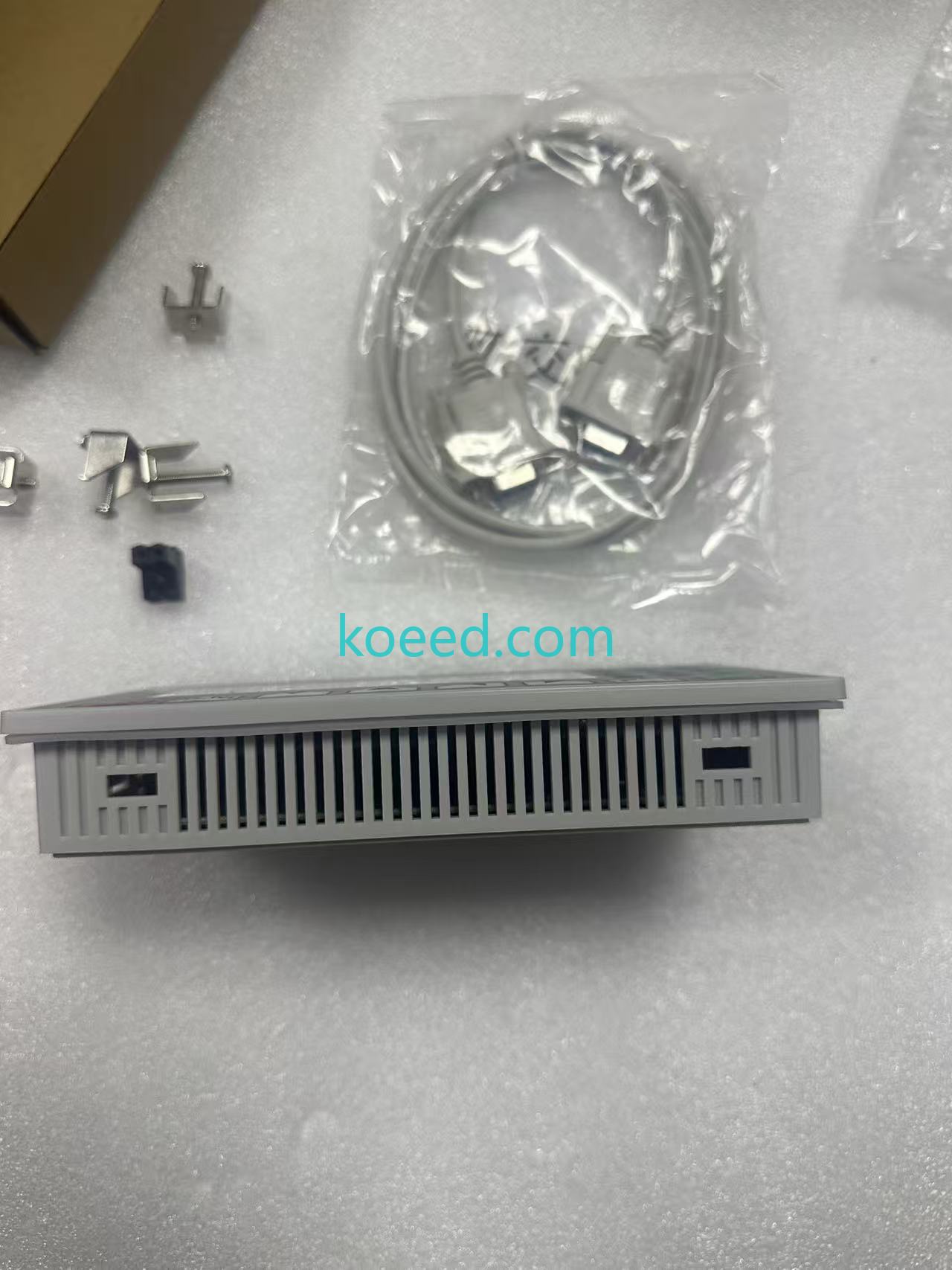
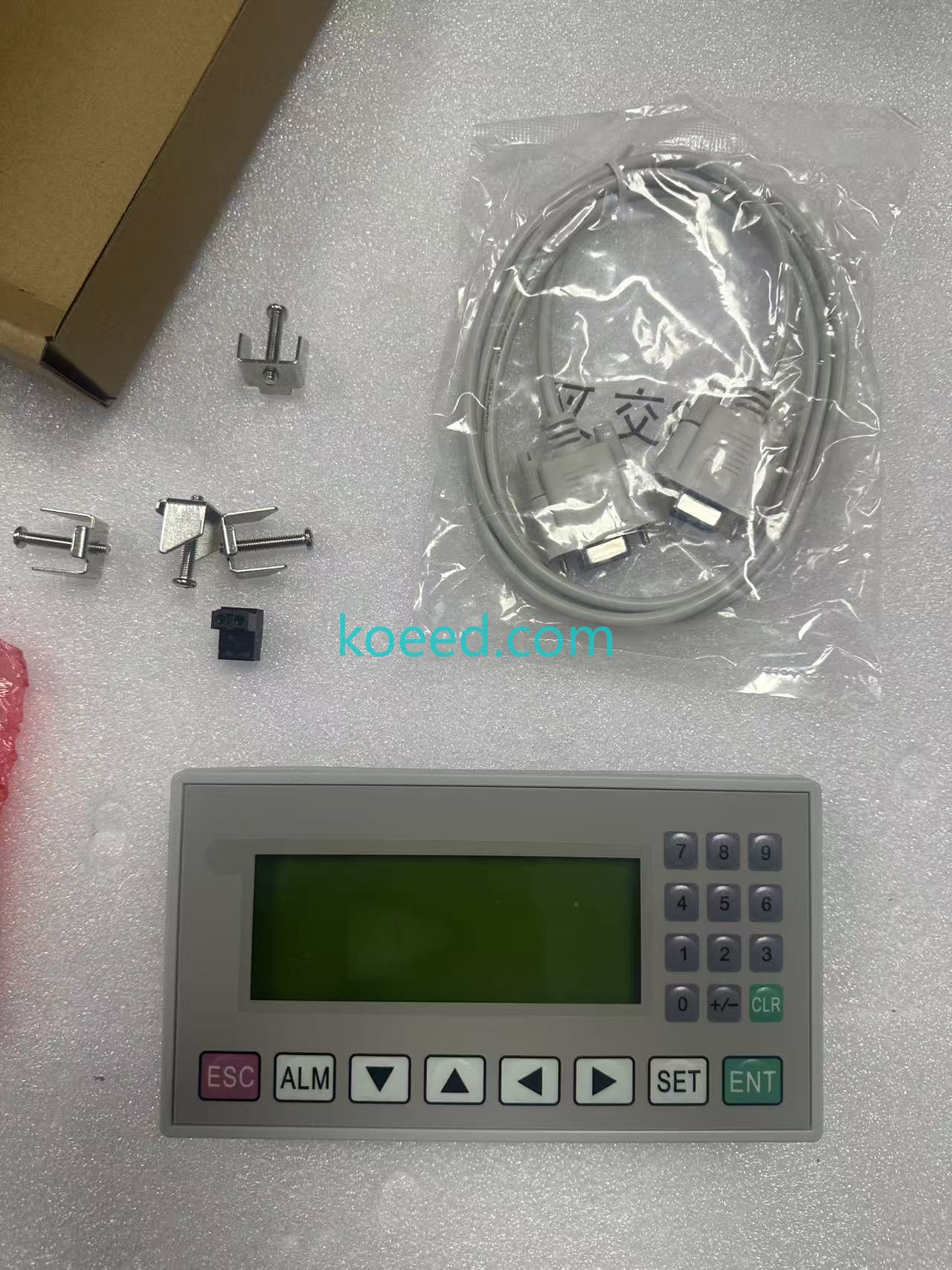
OP320-A — Front panel with 3.7" LCD
OP320-A — Angled enclosure view
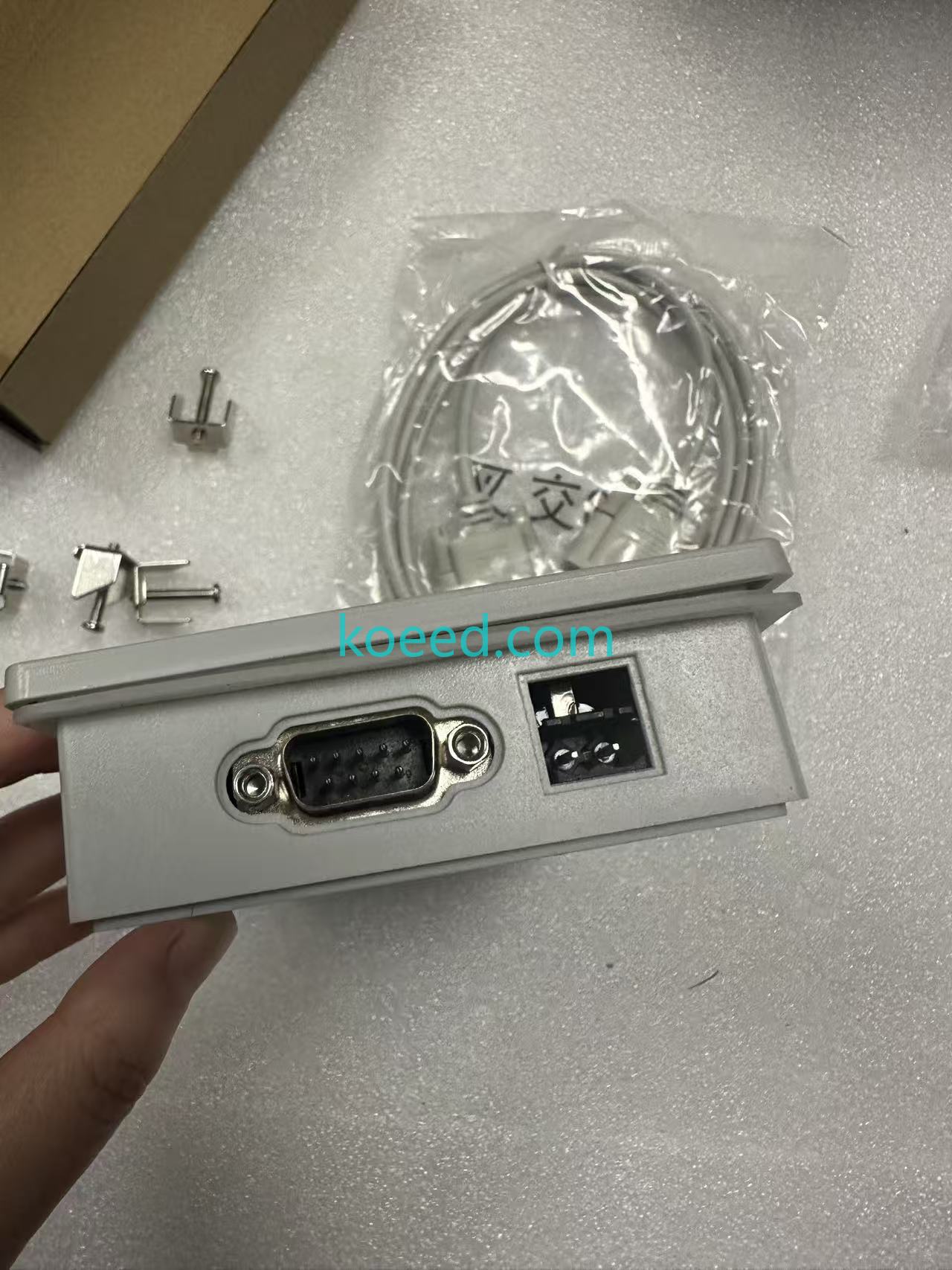
Rear I/O & communication port layout
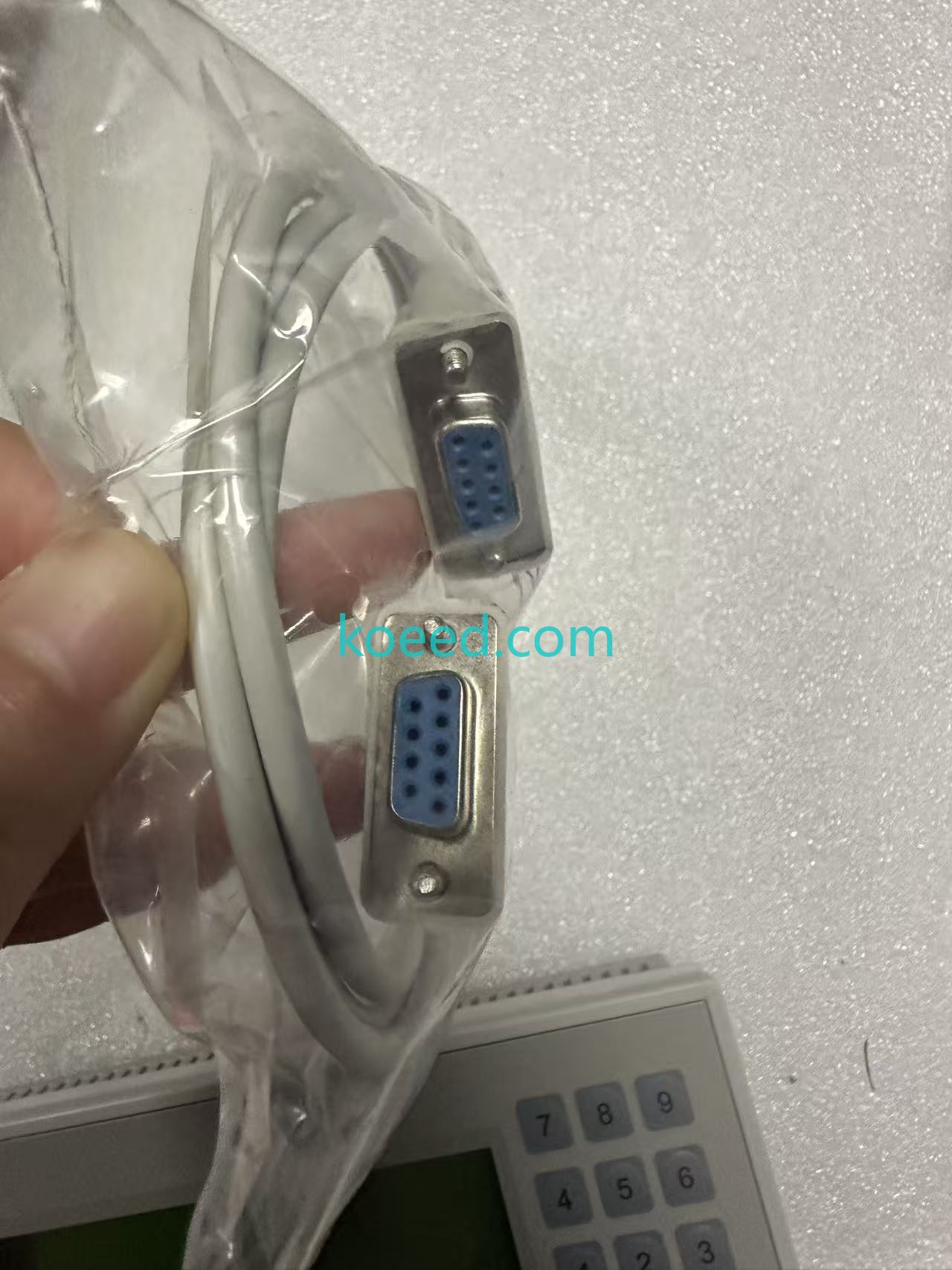
USB-MD204L — Cable assembly detail
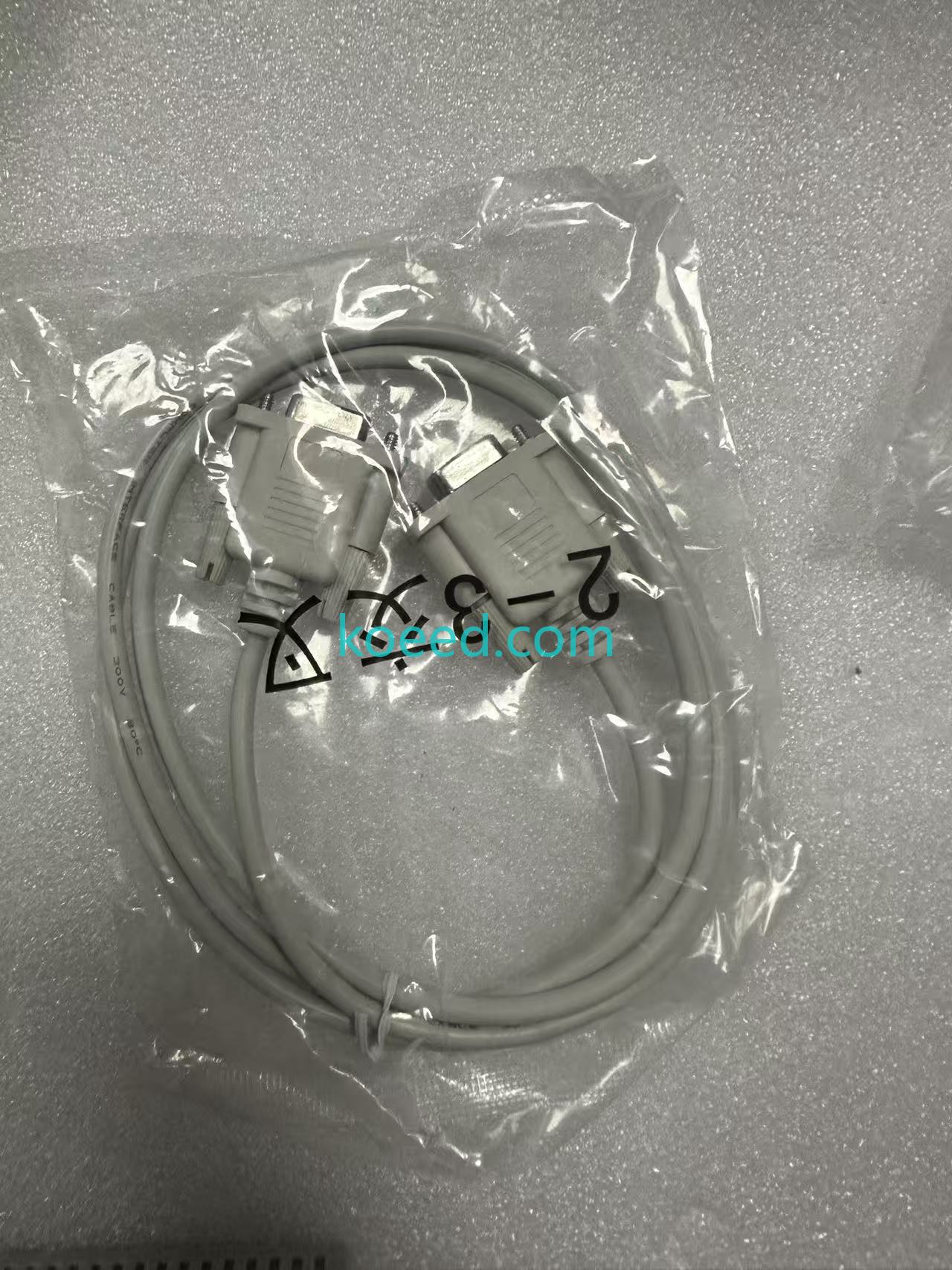
Cable connected to OP320-A HMI
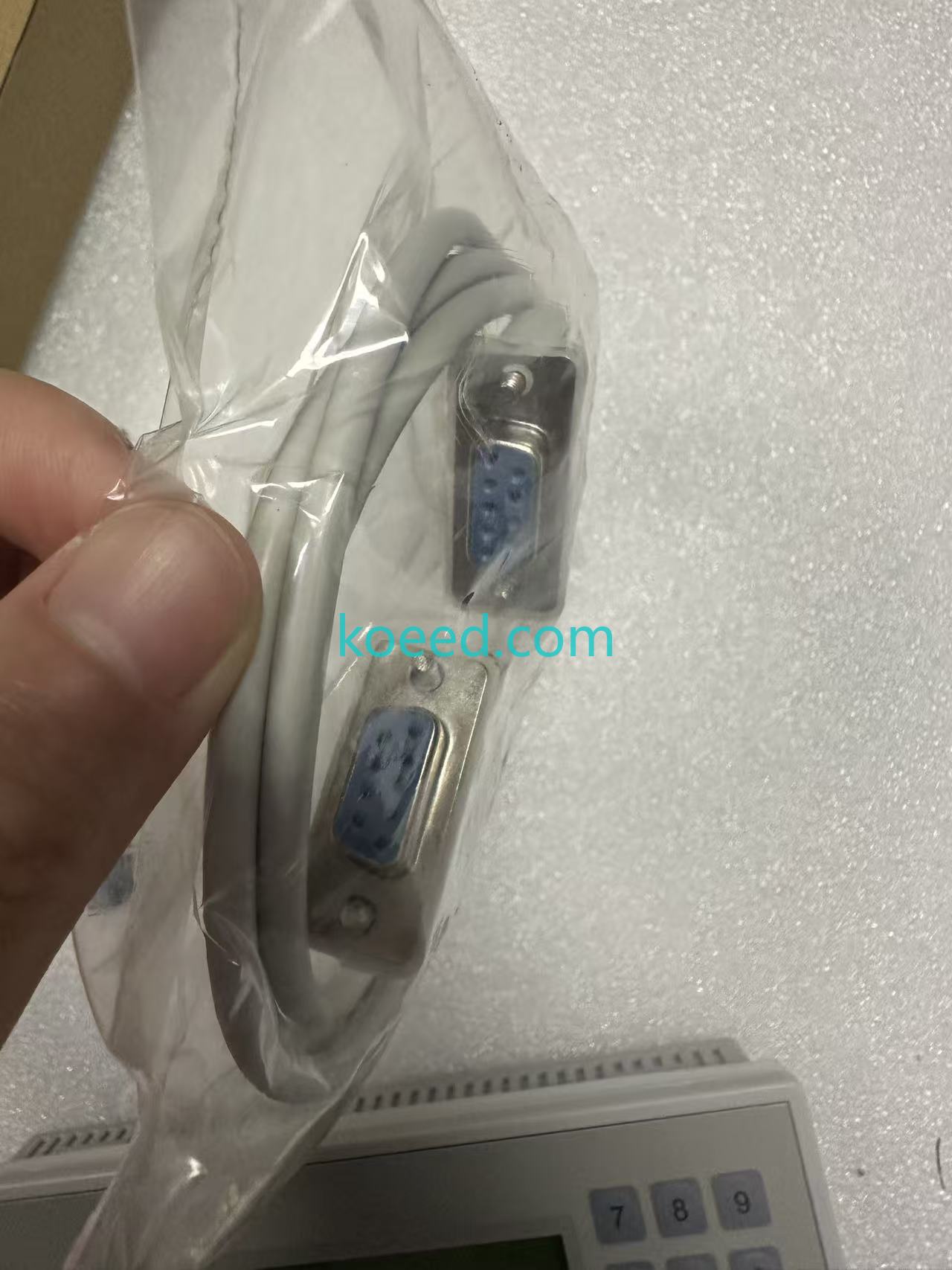
Complete packaging & accessories
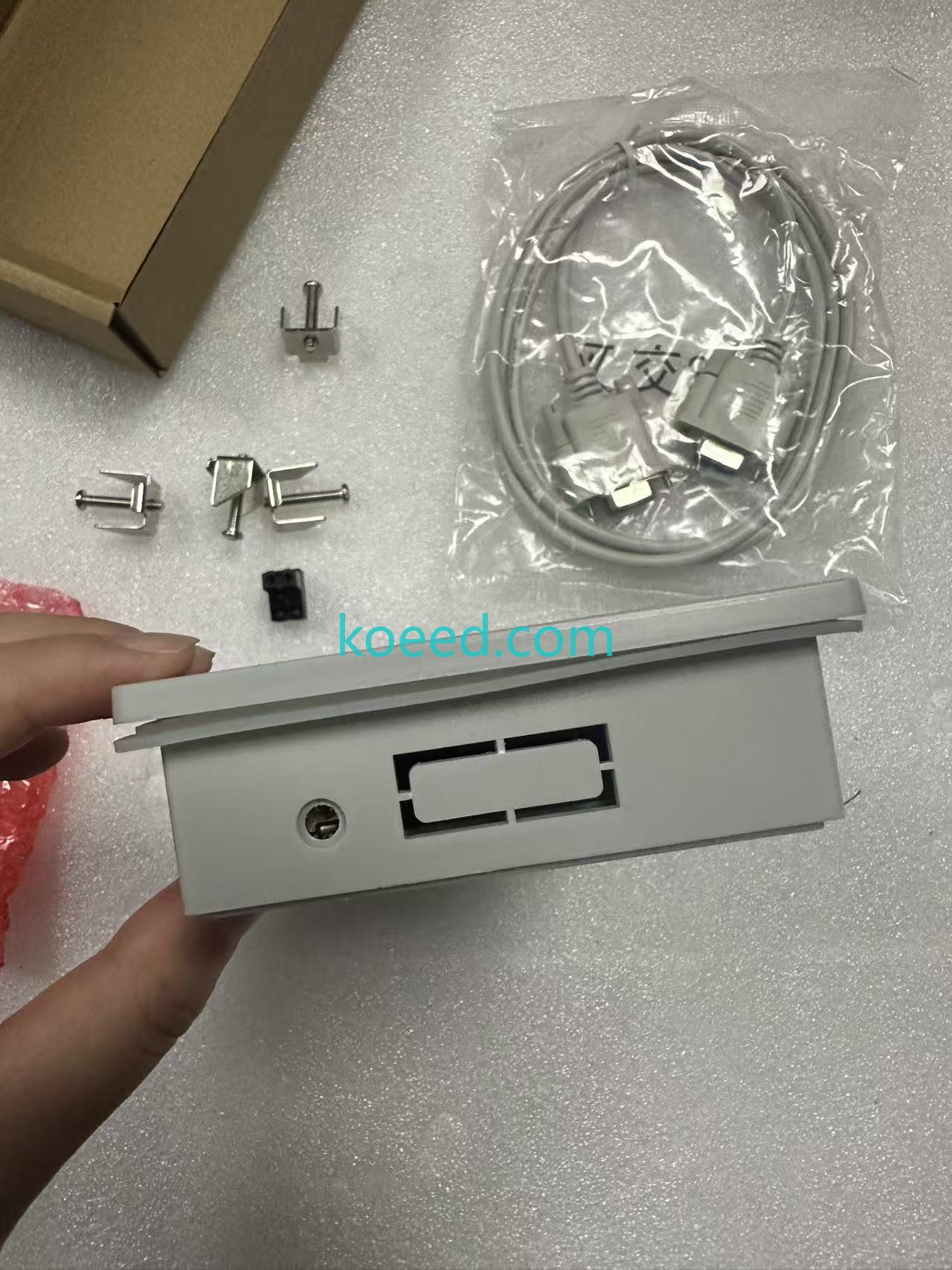
Mini-DIN connector — close-up
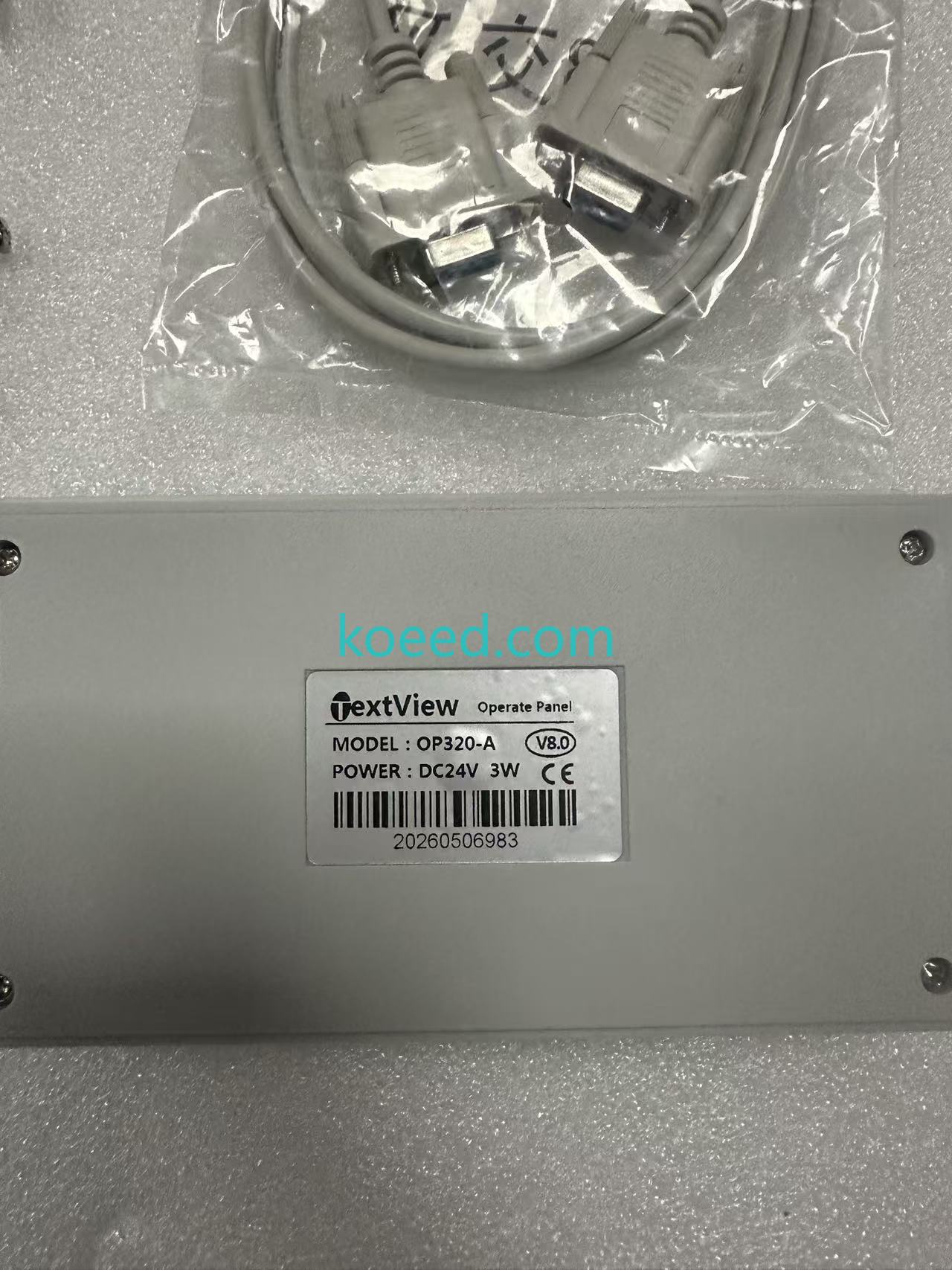
OP320-A — Side profile & mounting
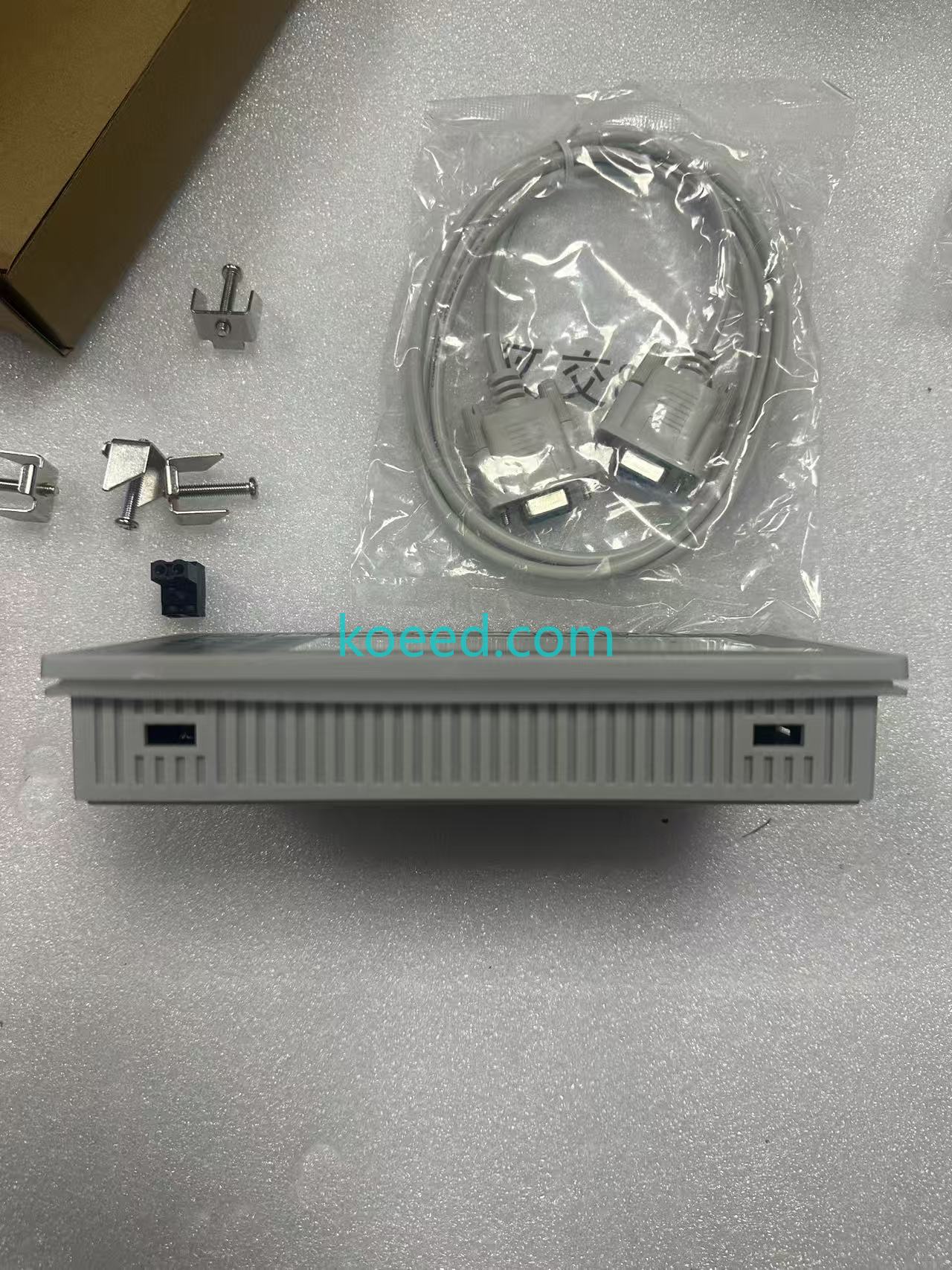
USB-MD204L full kit with driver CD
5. Predictive Maintenance & Troubleshooting: Maximizing Cable & HMI Longevity
5.1 Proactive Cable Care for 2026 OT Environments
Industrial environments subject cables to vibration, temperature swings, and electromagnetic interference. The Koeed USB-MD204L cable is built with double-shielding and a ferrite core to suppress high-frequency noise, but field technicians should adopt these 2026 best practices:
- 🔹 Strain Relief: Always secure the cable with a service loop near both connector ends. Avoid sharp bends under a 50mm radius.
- 🔹 Connector Hygiene: Clean the Mini-DIN pins quarterly using 99% isopropyl alcohol and a lint-free swab. Oxidation on pin 4 (VCC) is the #1 cause of intermittent connectivity.
- 🔹 Temperature Range: Operate within –10°C to +60°C. Prolonged exposure above 70°C degrades the PVC jacket and internal solder joints.
- 🔹 Firmware Synchronization: Before initiating any OP320-A firmware flash, verify the cable's CH340/CP210x driver version via Device Manager. Driver mismatches are the leading cause of "No Response from HMI" errors in 2026 Windows LTSC environments.
5.2 Common Error Codes & Resolution Matrix
| Symptom | Likely Cause | Resolution |
|---|---|---|
| "Communication Timeout" in TPEditor | Incorrect COM port assignment or baud rate mismatch | Confirm COM port in Device Manager; set baud to 9600/19200 (matching HMI config) |
| HMI displays "Link Error" | Faulty cable or bent Mini-DIN pin | Inspect pins under magnification; replace with new USB-MD204L from Koeed |
| USB device not recognized | Missing or corrupt CH340 driver | Download latest driver from Koeed support or chipset vendor; disable driver signature enforcement on Windows 2026 if needed |
| Intermittent disconnection | EMI from nearby VFD or motor drive | Re-route cable away from power lines; ensure ferrite core is intact and positioned within 150mm of USB end |
| Upload/download fails mid-transfer | USB power management suspending the port | Disable "USB Selective Suspend" in Windows Power Options; use a powered USB hub in rack-mounted scenarios |
Sustainability Note (2026): Instead of discarding an OP320-A HMI with a worn programming port, the USB-MD204L cable often revives connectivity by providing a cleaner signal path through its integrated line driver. This extends the service life of legacy HMIs by 3–5 years, directly reducing e-waste and aligning with ISO 14001 environmental management targets increasingly mandated across global supply chains.
6. IT/OT Convergence: Integrating the OP320-A into 2026 Cloud & Edge Architectures
The 2026 automation landscape is defined by unified namespace architectures where every device—even a text-based HMI like the OP320-A—contributes to a holistic data fabric. Here's how the USB-MD204L programming cable plays a pivotal role:
6.1 Edge Gateway Configuration
Modern edge devices (e.g., Advantech UNO series, Siemens IOT2050) running Node-RED or KepServerEX can connect to a laptop via the USB-MD204L to perform one-time HMI configuration pulls. These configurations are then version-controlled in Git-based repositories and deployed to digital twin simulators—a workflow that demands a reliable, high-baud-rate programming link that the USB-MD204L delivers.
6.2 OT Network Segmentation & Secure Programming
With the rise of IEC 62443-4-2 certified zones, many plants now isolate their HMI programming VLANs. The USB-MD204L cable—being a direct, galvanically isolated programming link—enables air-gapped configuration without exposing the HMI to the broader OT network during firmware updates, satisfying 2026 cybersecurity audit requirements.
7. Frequently Asked Questions
Is the USB-MD204L cable compatible with Windows 11 and Windows 2026 LTSC?
Yes. The cable uses the industry-standard CH340/CP210x USB-UART bridge chipset, which has native driver support on Windows 10, Windows 11, and the 2026 LTSC builds. Koeed recommends downloading the latest driver from the chipset vendor if automatic installation does not trigger. On Windows 2026 Enterprise LTSC, you may need to temporarily disable driver signature enforcement via Advanced Boot Options.
Does this cable work with the MD308L model?
Absolutely. The USB-MD204L cable is fully compatible with the entire Xinjie MD series: MD204L, MD306L, MD308L, and the OP320-A. All these models share the same 8-pin Mini-DIN programming port pinout.
What software do I need to program the OP320-A HMI?
Xinjie provides the OP Series Configuration Tool (also branded as TPEditor in some regions). This software handles screen layout design, tag mapping, Modbus register assignment, and firmware upload/download. It is compatible with Windows XP through Windows 11 and the 2026 LTSC builds. The USB-MD204L cable is auto-detected by this software once the correct COM port is selected.
Can I use this cable for live data monitoring, or is it only for programming?
While the USB-MD204L is primarily a programming/download cable, it can support limited live monitoring via the Xinjie configuration tool's debug mode. For continuous, 24/7 SCADA integration, Koeed recommends using the HMI's native RS485 Modbus port connected to an Ethernet gateway, rather than the programming port.
What is the warranty on the Koeed USB-MD204L cable?
Koeed provides a standard 12-month warranty against manufacturing defects. Extended warranty options are available for enterprise procurement contracts. Contact our sales team via WhatsApp or the Request Quote page for bulk pricing and warranty extension terms.
How does the cable contribute to sustainability and ESG goals?
By extending the operational life of existing OP320-A and MD-series HMI panels by 3–5+ years, the USB-MD204L cable directly reduces industrial e-waste. Each HMI kept in service avoids approximately 1.2kg of electronic waste and the associated embodied carbon from manufacturing a replacement unit. This aligns with 2026 ESG reporting requirements under ISSB and EU CSRD frameworks.
8. Procurement & Next Steps
Whether you are maintaining a single packaging machine in Southeast Asia or managing a fleet of 200+ OP320-A HMIs across multiple production lines, the Koeed USB-MD204L programming cable is a strategic, low-cost investment that pays for itself in reduced downtime, fewer technician call-outs, and seamless IT/OT integration readiness.
Koeed maintains substantial inventory across global distribution hubs, ensuring 48–72 hour dispatch to most industrial regions. For bulk orders (10+ units), volume pricing and dedicated support are available.
Ready to Upgrade Your HMI Programming Workflow?
Secure your OP320-A / MD204L / MD306L USB-MD204L cable today. Bulk discounts and technical datasheets available on request.
© 2026 Koeed — Industrial Automation & HMI Connectivity Specialists. All product names and trademarks belong to their respective owners. Product link: USB-MD204L for Xinjie OP320-A / MD204L / MD306L.


