
2025/07/04 886LCD-M/FLEX, Sales records with pictures and video
On this page
What is the Kontron 886LCD-M/FLEX?
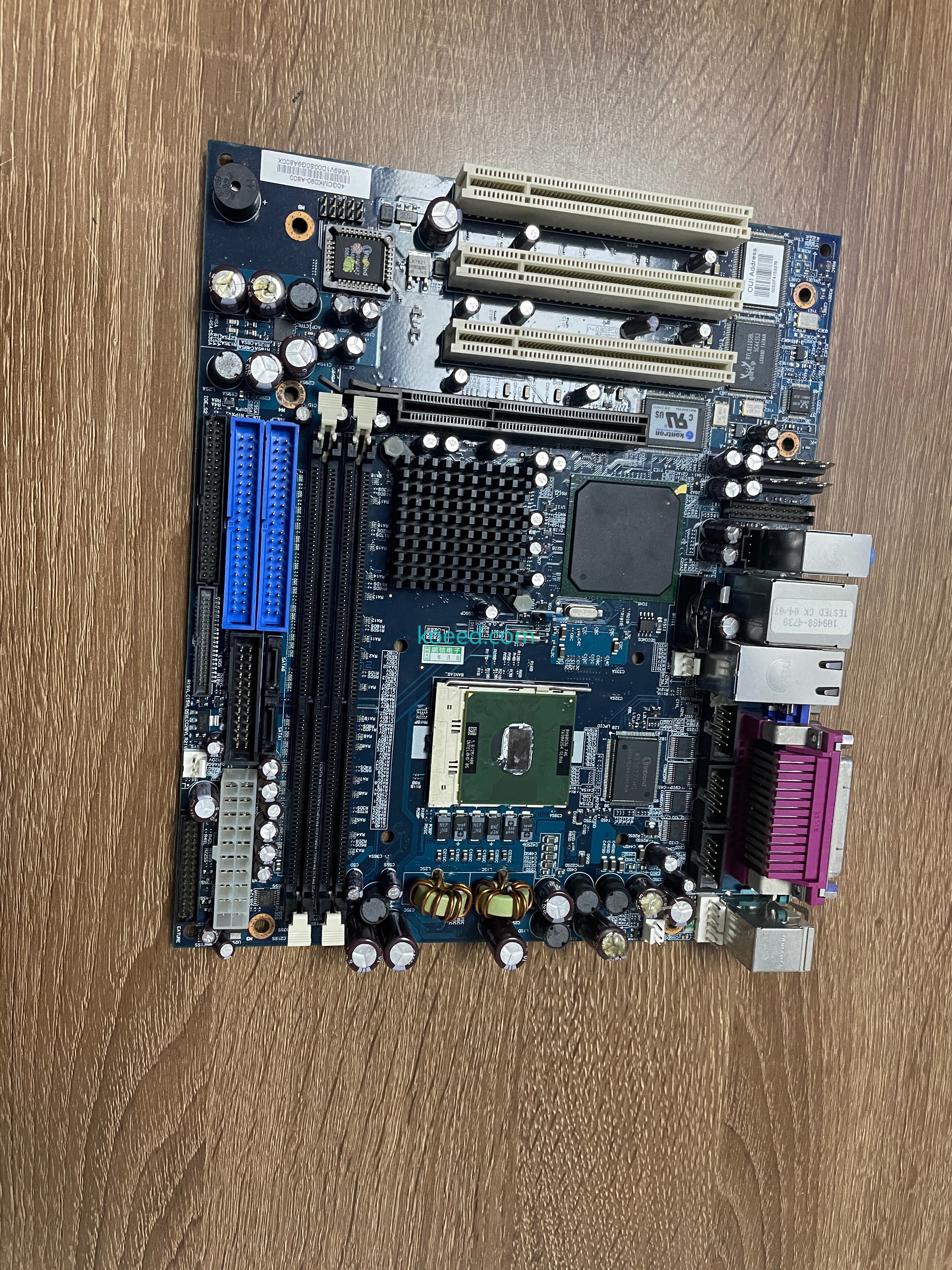
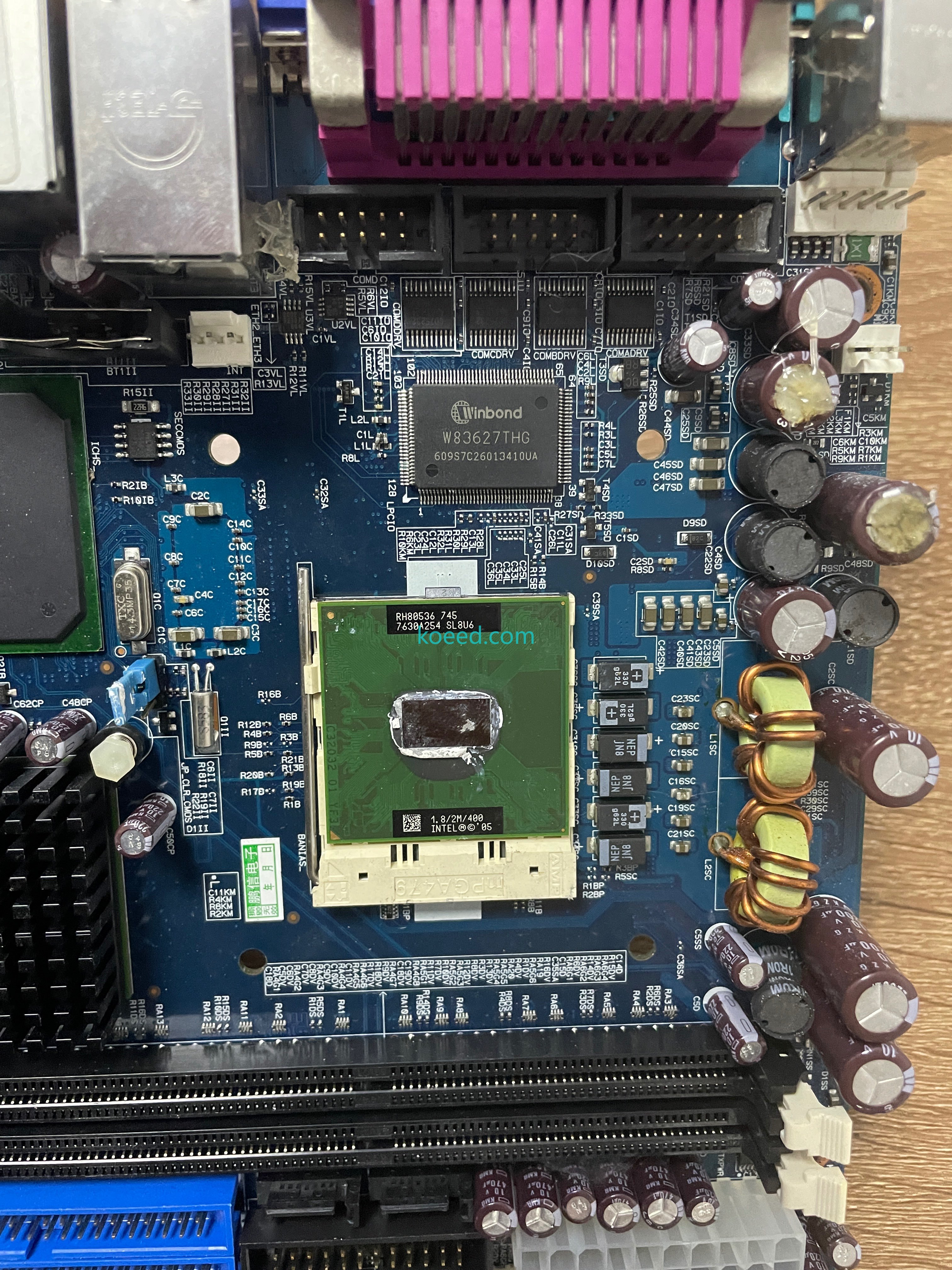
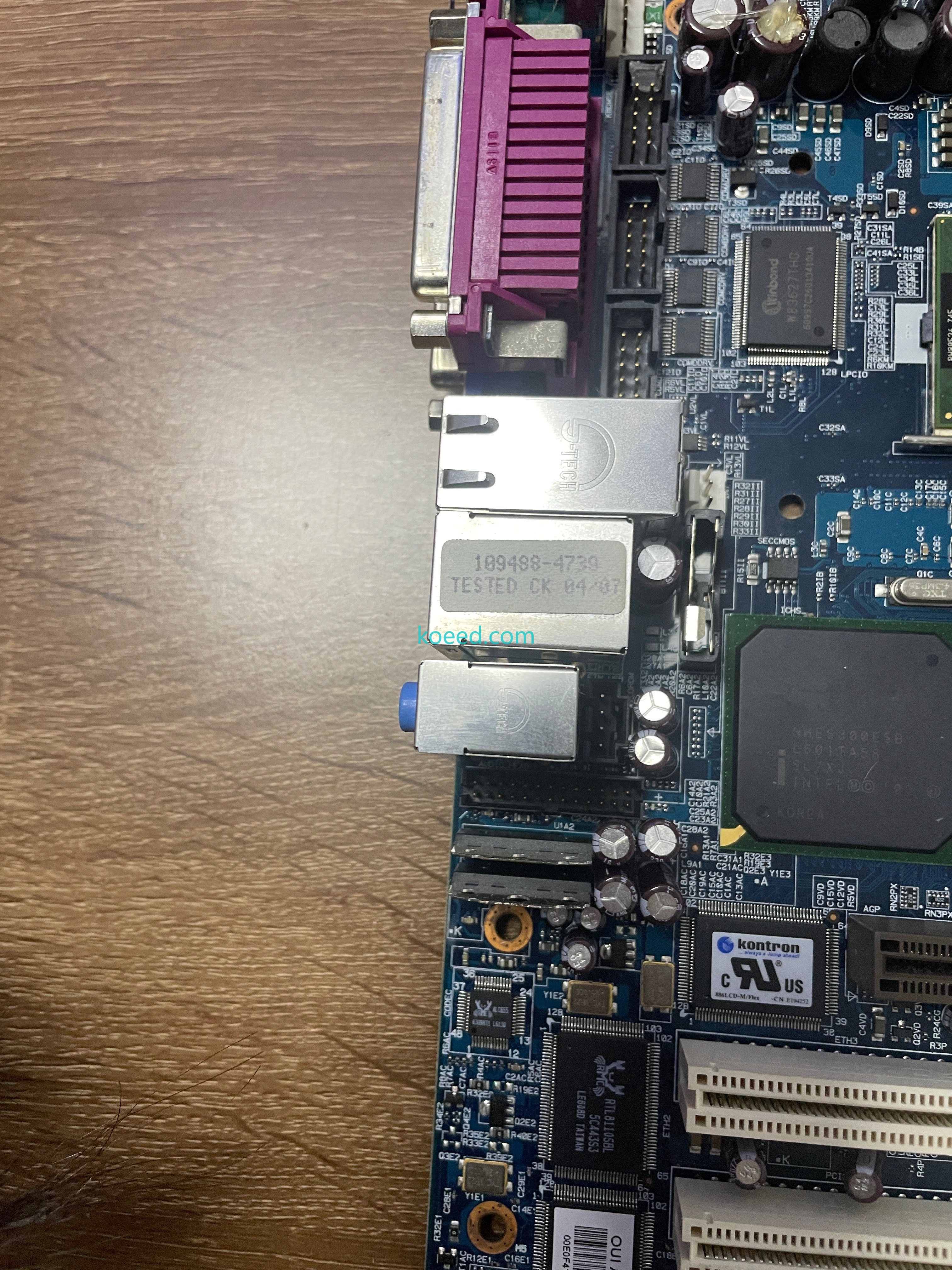
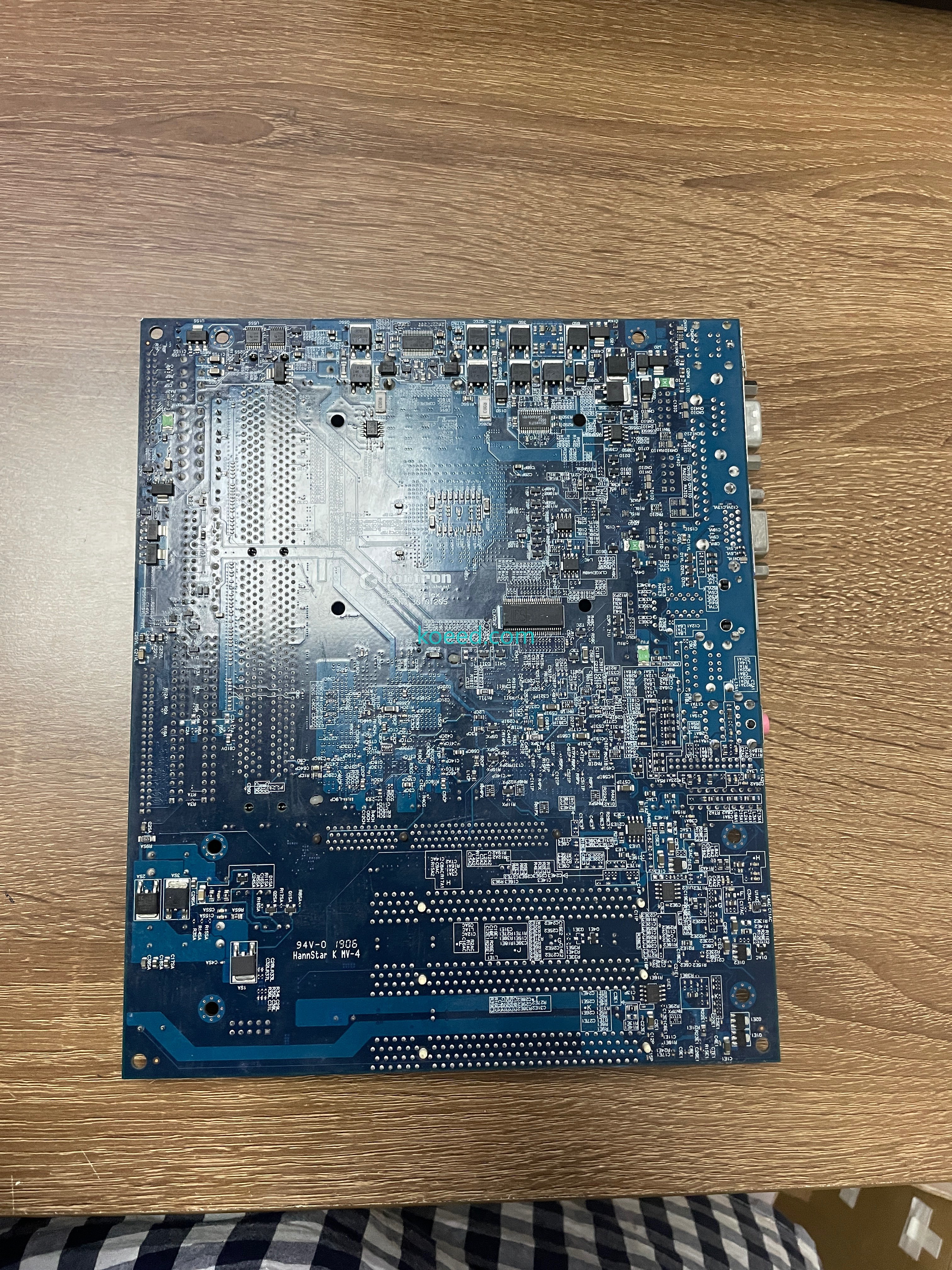
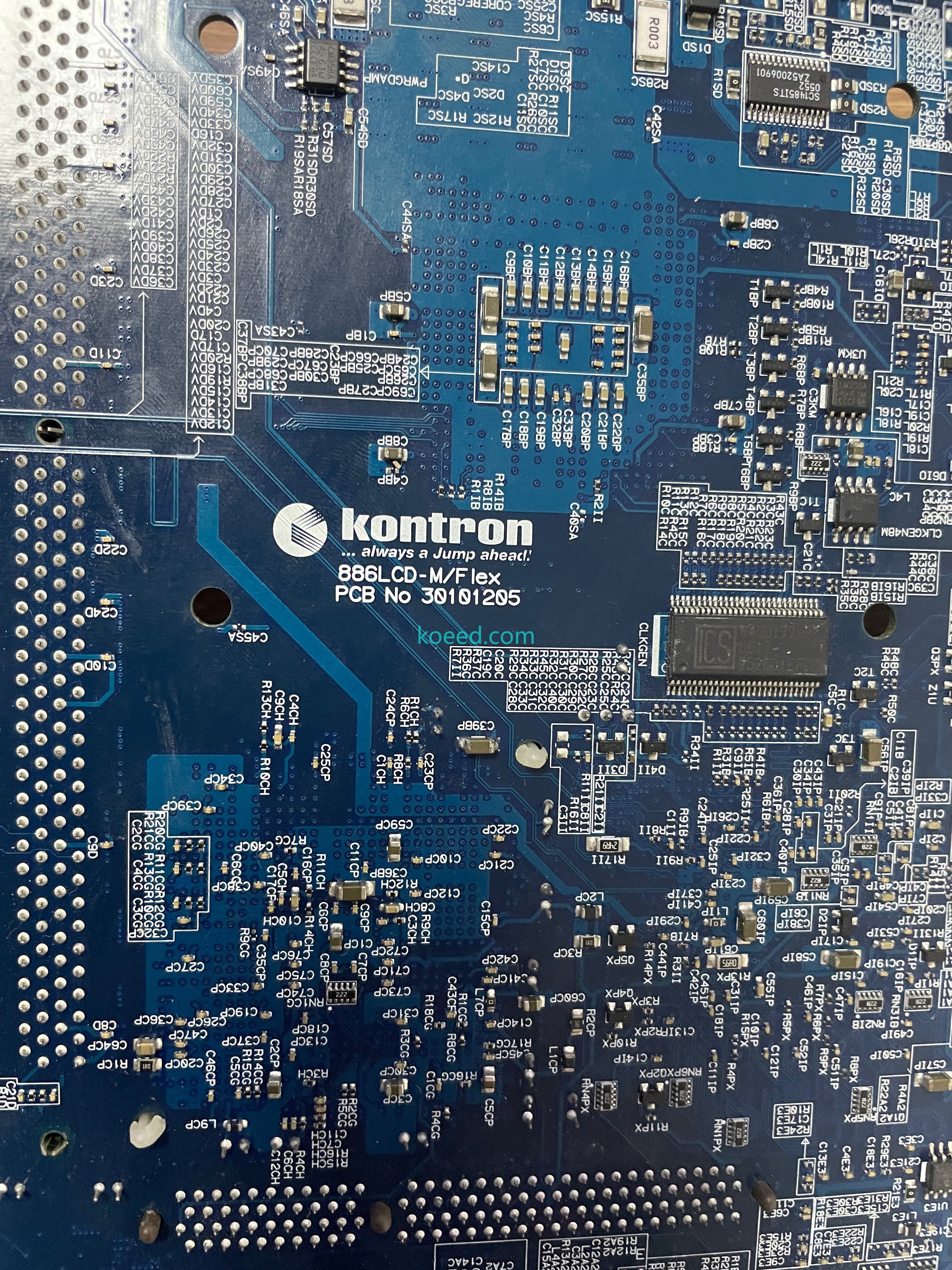
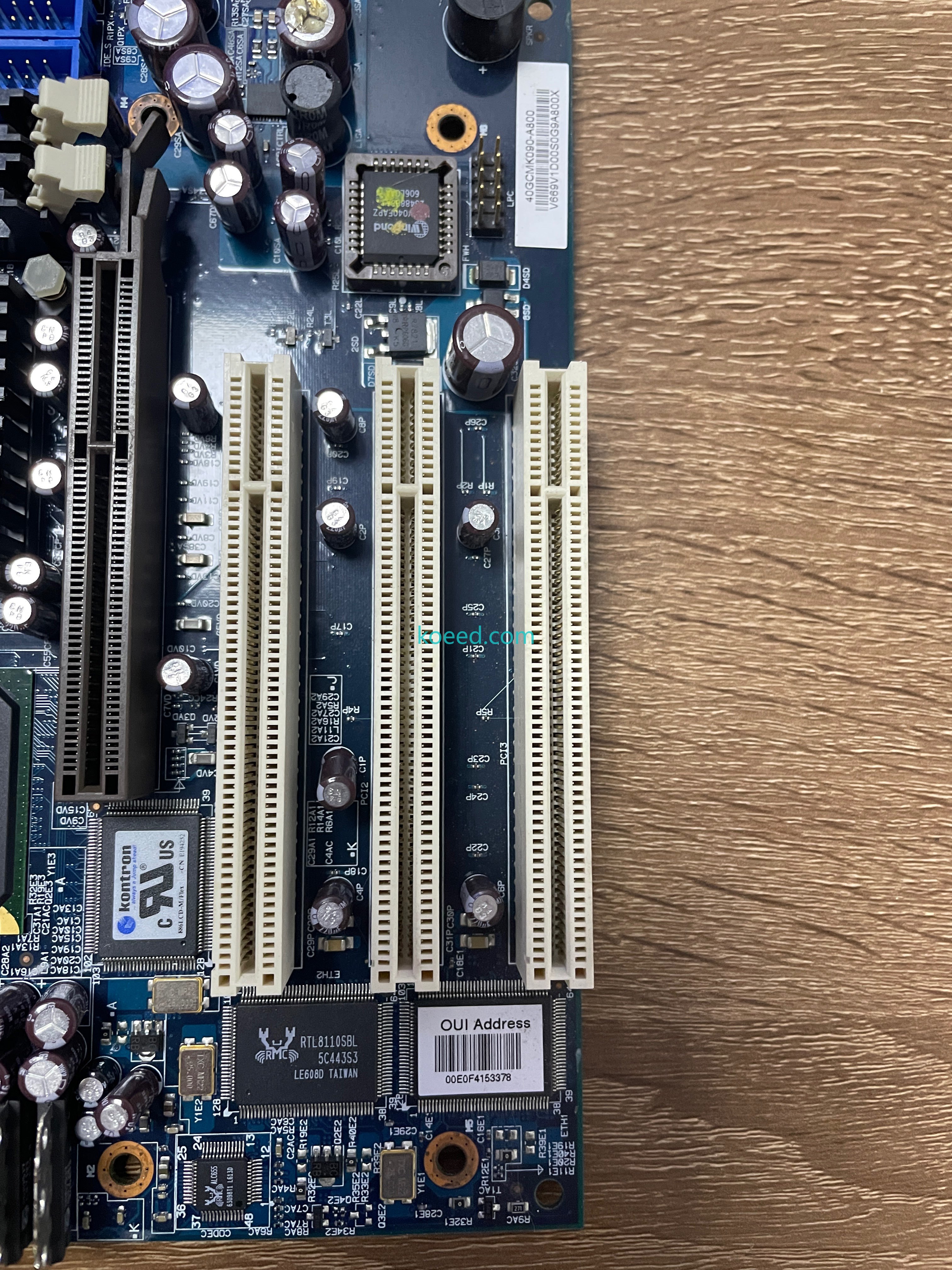
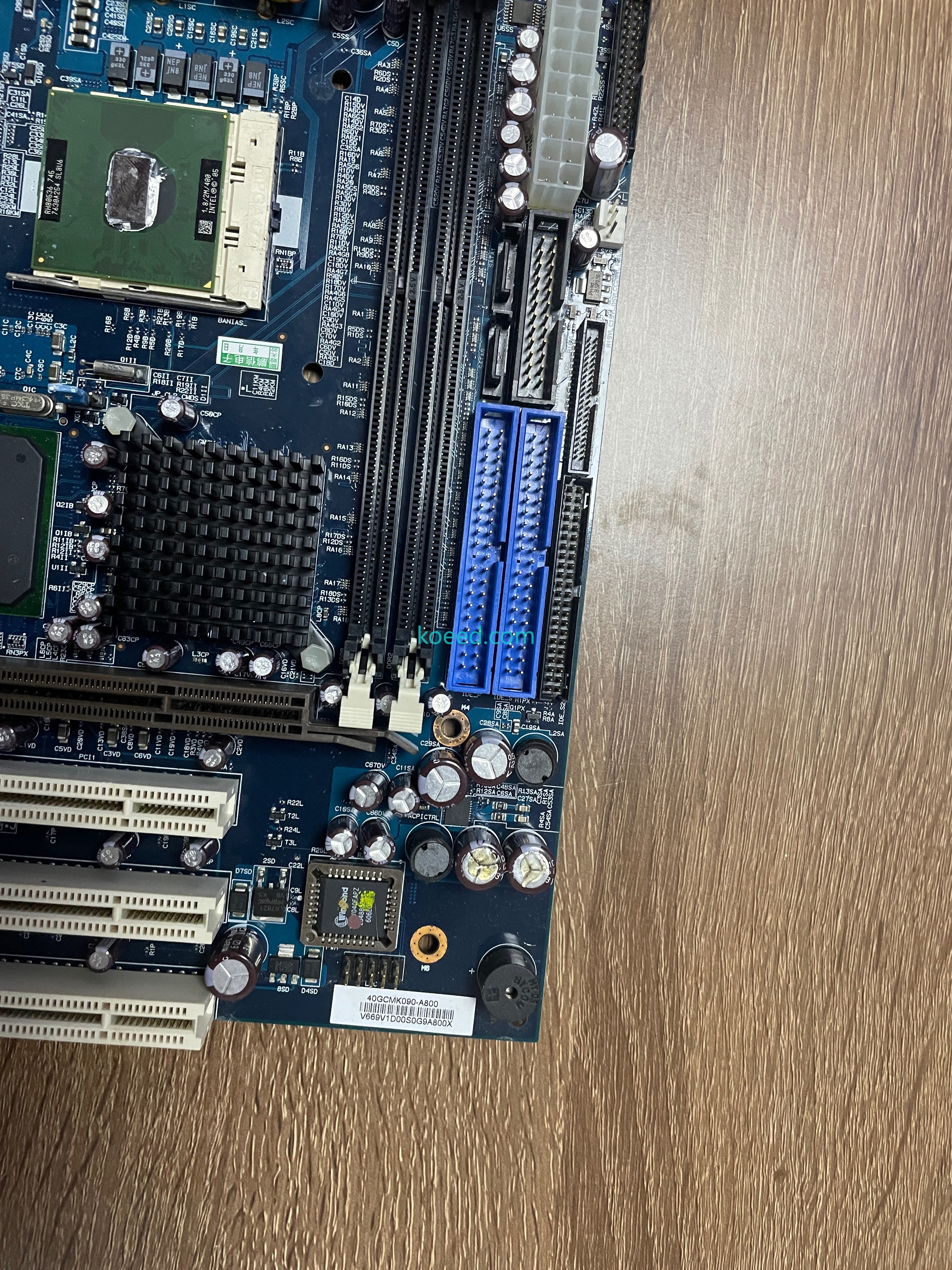
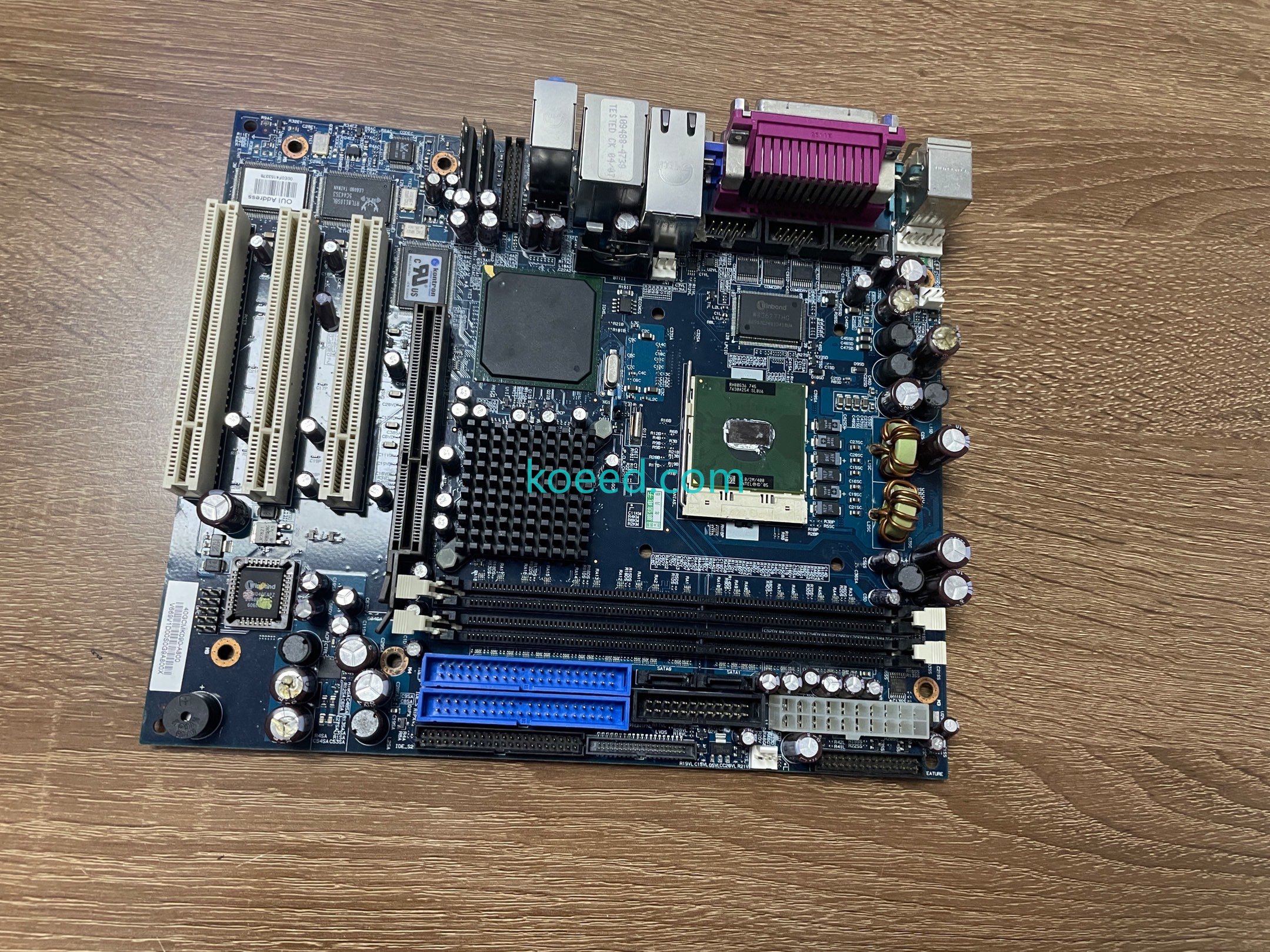
The 886LCD-M/FLEX is a Kontron MicroATX industrial motherboard built around Intel's Pentium M platform — this unit ships with an Intel Pentium M 745 already fitted (Dothan core, 1.8 GHz / 2 MB cache / 400 MHz FSB, sSpec SL8U6, marked '05) in the Socket 479 carrier, cooled by a finned chipset heatsink over the 915GM north bridge. The board's calling card is the FLEX expansion block: one full-length legacy ISA slot alongside three white PCI slots, which is why panel builders still hunt this board for machines that need an old ISA I/O card in a modern-ish PC. Around it: two DDR2 SO-DIMM sockets, two blue IDE channels plus two SATA ports and a floppy header, dual gigabit Ethernet (Intel 82573L and Realtek RTL8110SBL, OUI label 00E0F4153378), Winbond W83627THG Super I/O, Realtek ALC655 audio, and a rear stack of two LAN, VGA, parallel, serial and PS/2 ports. The PCB back carries the identity in silk: kontron "always a jump ahead!", 886LCD-M/Flex, PCB No 30101205. This board is a used pull — the CPU shows thermal-compound residue and mounting marks, both DIMM sockets are empty, and the factory TESTED OK 04-07 sticker (106489-4730) still sits by the LAN jacks. It passed through the Koeed warehouse on 4 July 2025; the eight photos and video below show it as received.
Part details
| Field | Value |
|---|---|
| Manufacturer | Kontron ("always a jump ahead!"); PCB by HannStar (94V-0 / 1906 / K HV-4) |
| Board | 886LCD-M/Flex, MicroATX; PCB No 30101205; Kontron cULus E194525 mark |
| Board revision label | K086N-8600-1380 / V669V1D00S09A800X |
| CPU (fitted) | Intel Pentium M 745 — RH80536, SL8U6, 1.8 GHz / 2 MB / 400 MHz FSB, '05 (Socket 479, thermal paste present) |
| Chipset | Intel 915GM north bridge (finned heatsink) + ICH6-class south bridge |
| Memory | 2 × DDR2 SO-DIMM sockets (empty as photographed) |
| Expansion | 1 × ISA (long black slot) + 3 × PCI (white) — the FLEX legacy combination |
| Storage | 2 × blue IDE channels, 2 × SATA ports (SATA0/SATA1), floppy header |
| Networking | 2 × RJ45 gigabit — Intel 82573L + Realtek RTL8110SBL; OUI Address 00E0F4153378 |
| Super I/O / audio | Winbond W83627THG; Realtek ALC655 codec; Winbond PLCC BIOS |
| Rear I/O | 2 × RJ45, VGA, DB25 parallel (LPT), serial, PS/2, USB stack, audio jacks |
| Power | 24-pin ATX + 4-pin ATX12V; multi-phase CPU VRM (KZE solid capacitors) |
| Test marks | Factory sticker "TESTED OK 04-07 / 106489-4730" |
| Condition | Used pull — thermal paste on CPU, light handling marks, no RAM fitted; no condition grade in the intake record |
| Intake recorded | 4 July 2025 |
Reading the board
Three marks pin the identity. The back of the PCB carries the silkscreened brand block — kontron, 886LCD-M/Flex, PCB No 30101205 — next to the HannStar fabricator code (94V-0, 1906). The white revision label near the ISA slot reads K086N-8600-1380 / V669V1D00S09A800X. And the CPU itself settles the configuration: the black label on the package reads RH80536 745 / SL8U6 with the QR line 1.8/2M/400 INTEL© '05 — a Pentium M 745, not a Core 2-era part. If your rebuild list calls for 886LCD-M/FLEX with CPU, this board matches at both levels; if you need the bare board only, budget for a heatsink and fresh compound when you re-seat the processor.
Rebuild notes
The FLEX slots are the reason this board gets bought, so plan the installation around them: the black ISA slot runs the full board length and expects a real ISA-era I/O card, while the three white PCI slots take anything from frame grabbers to motion cards. Memory is notebook-style DDR2 SO-DIMM, and the storage map is generous for the era — two IDE channels for PATA drives or IDE-to-CF adapters, two SATA ports on the ICH, and a floppy header if the machine still boots from one. Power it with a standard 24-pin ATX supply plus the 4-pin ATX12V. The CPU arrived with old compound on the die; clean it and apply fresh paste before mounting any cooler, and expect the board to be pulled from service rather than new — the photos, including the 2007 factory test sticker, are the honest record.
Photos and video
All images below are original warehouse photos of the exact board covered by this record, taken before dispatch. Click any photo to view it full size.
Sourcing help
KOEED supplies Kontron industrial boards and legacy-bus spares, in active and EOL stock. Send the part number for a quote.
Need a quote for this part?
Send us the part number or article link — we will confirm price, availability and lead time.


