

Complete Guide to HP Pavilion 15-CC 15CD Palmrest Backlit Keyboard Replacement (Part Numbers 926859-001 & 928438-001)
HP Pavilion 15-CC 15CD Palmrest Backlit Keyboard Replacement
Professional OEM Replacement Part for HP Pavilion 15-CC Series Laptops
Product Overview
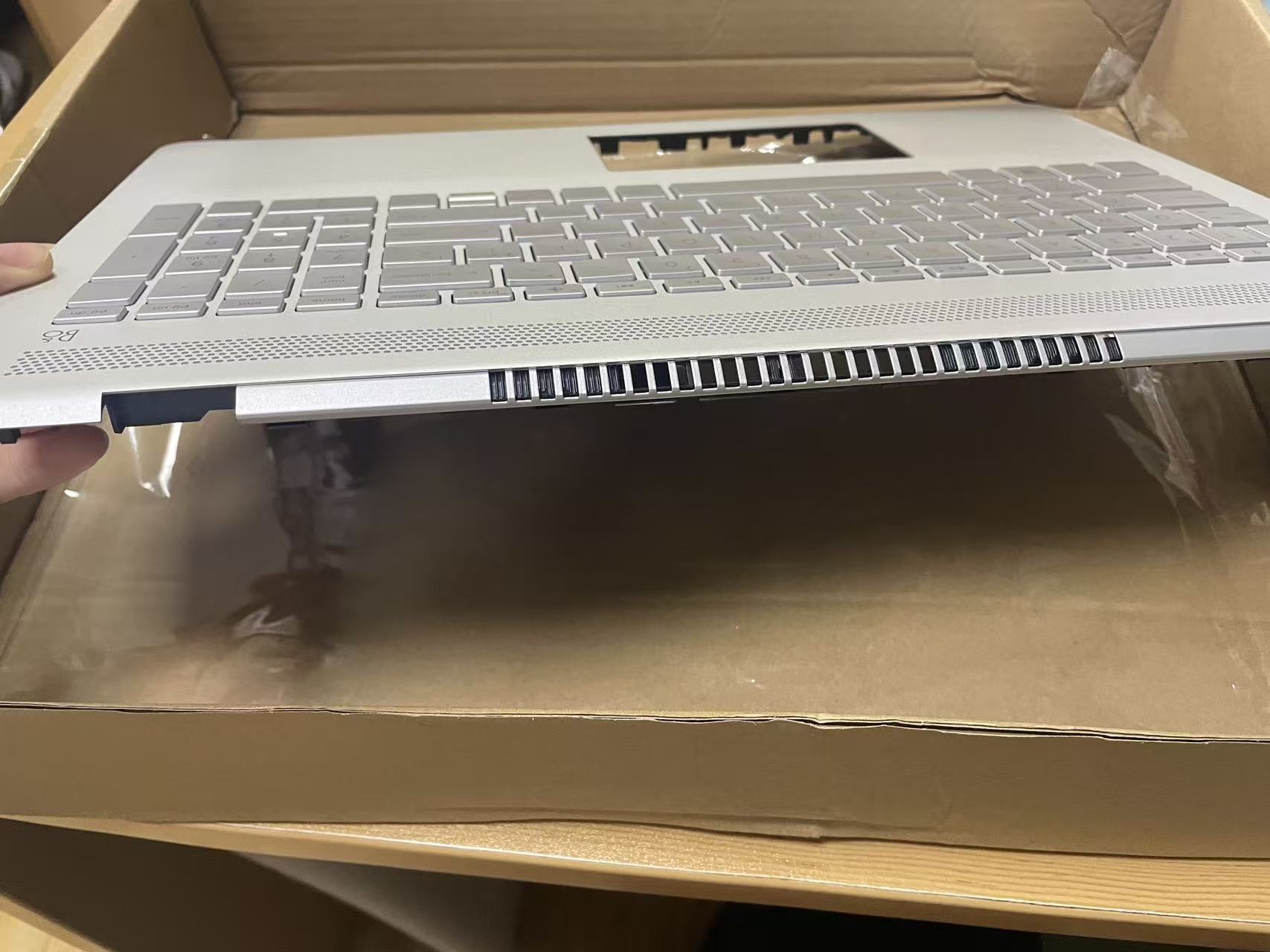
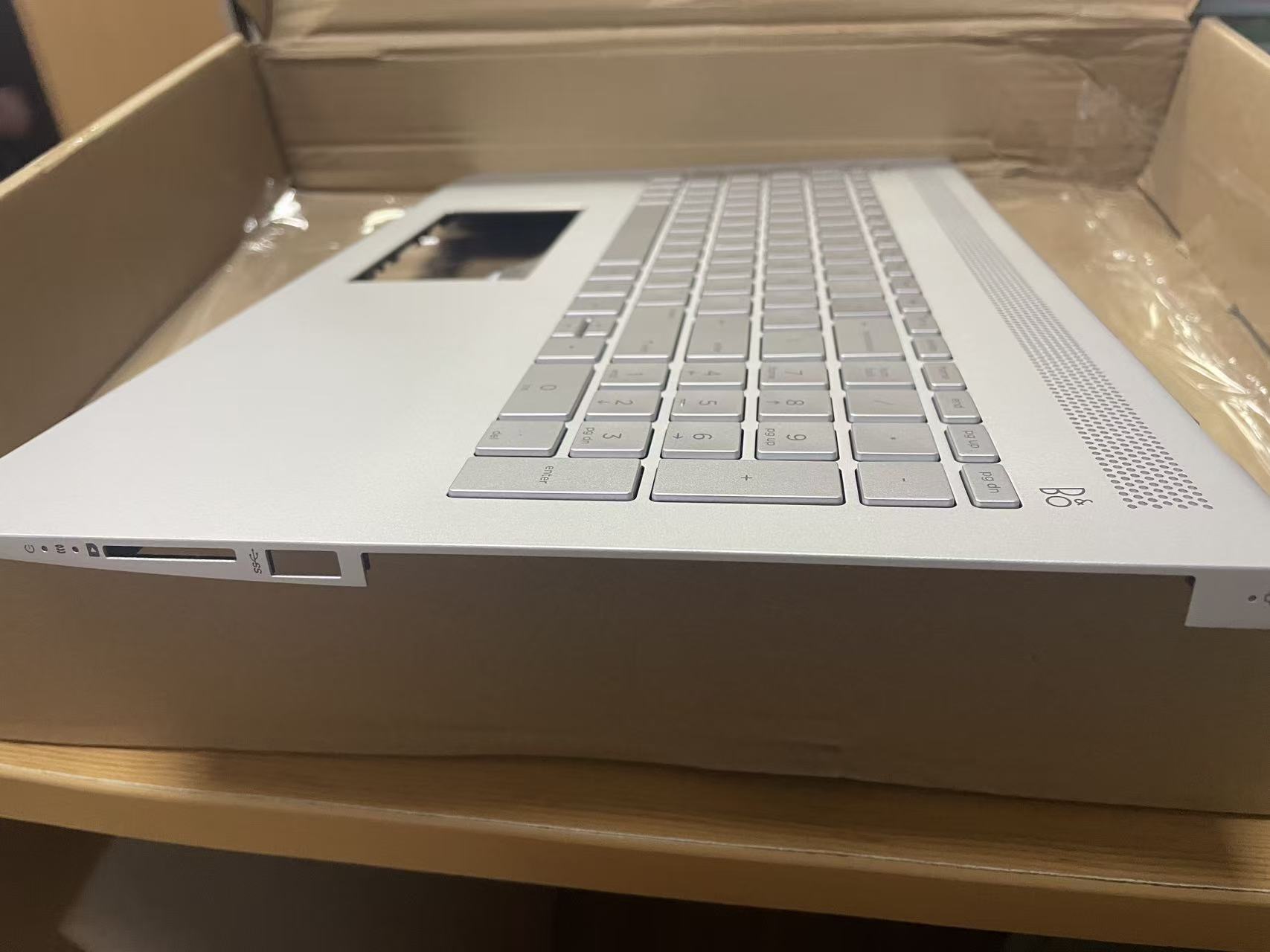
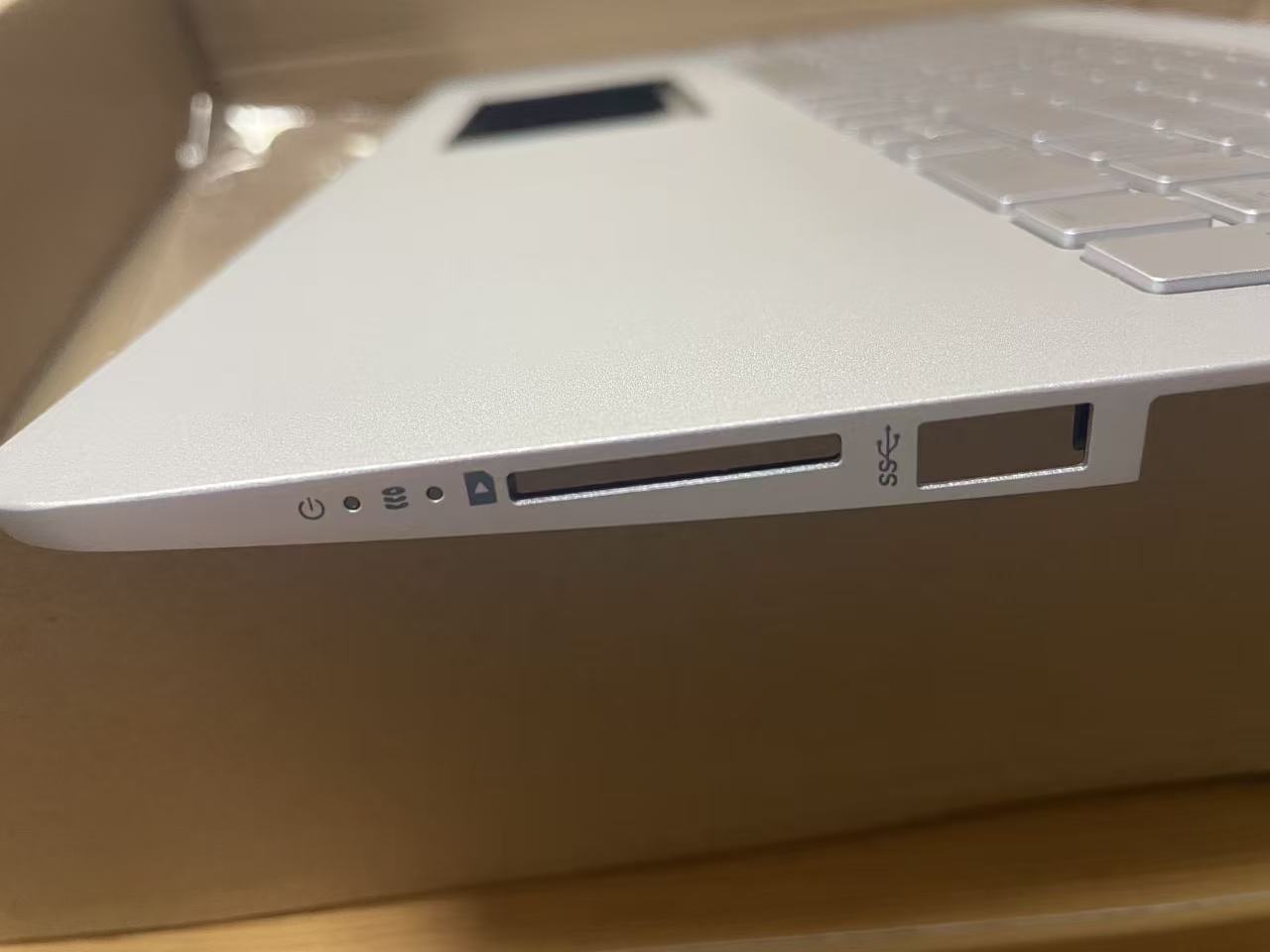
This high-quality replacement palmrest assembly with integrated backlit keyboard is specifically designed for HP Pavilion 15-CC and 15CD series laptops. The part numbers 926859-001 and 928438-001 indicate genuine HP OEM compatibility, ensuring perfect fit and functionality for your device repair or upgrade.
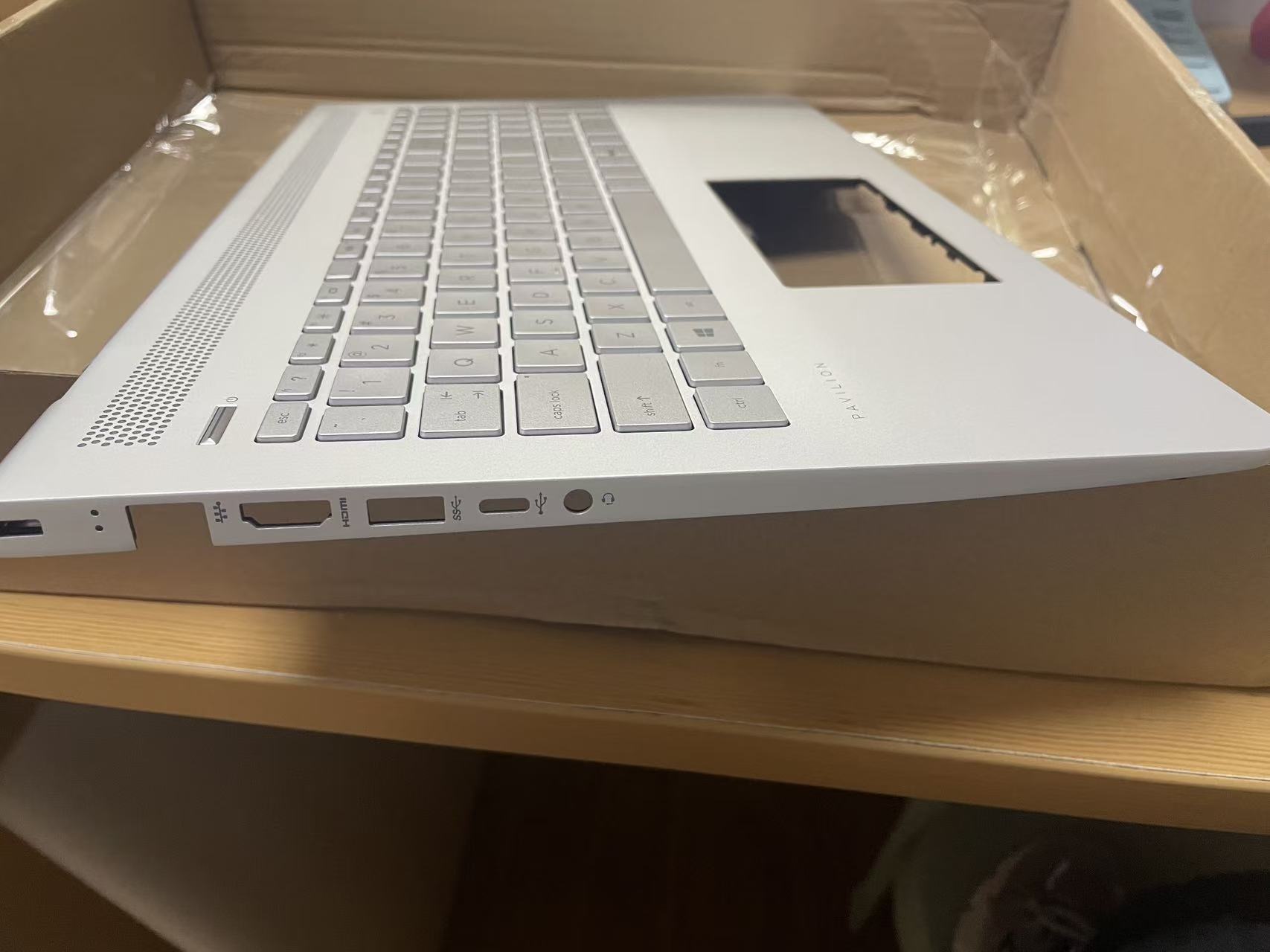
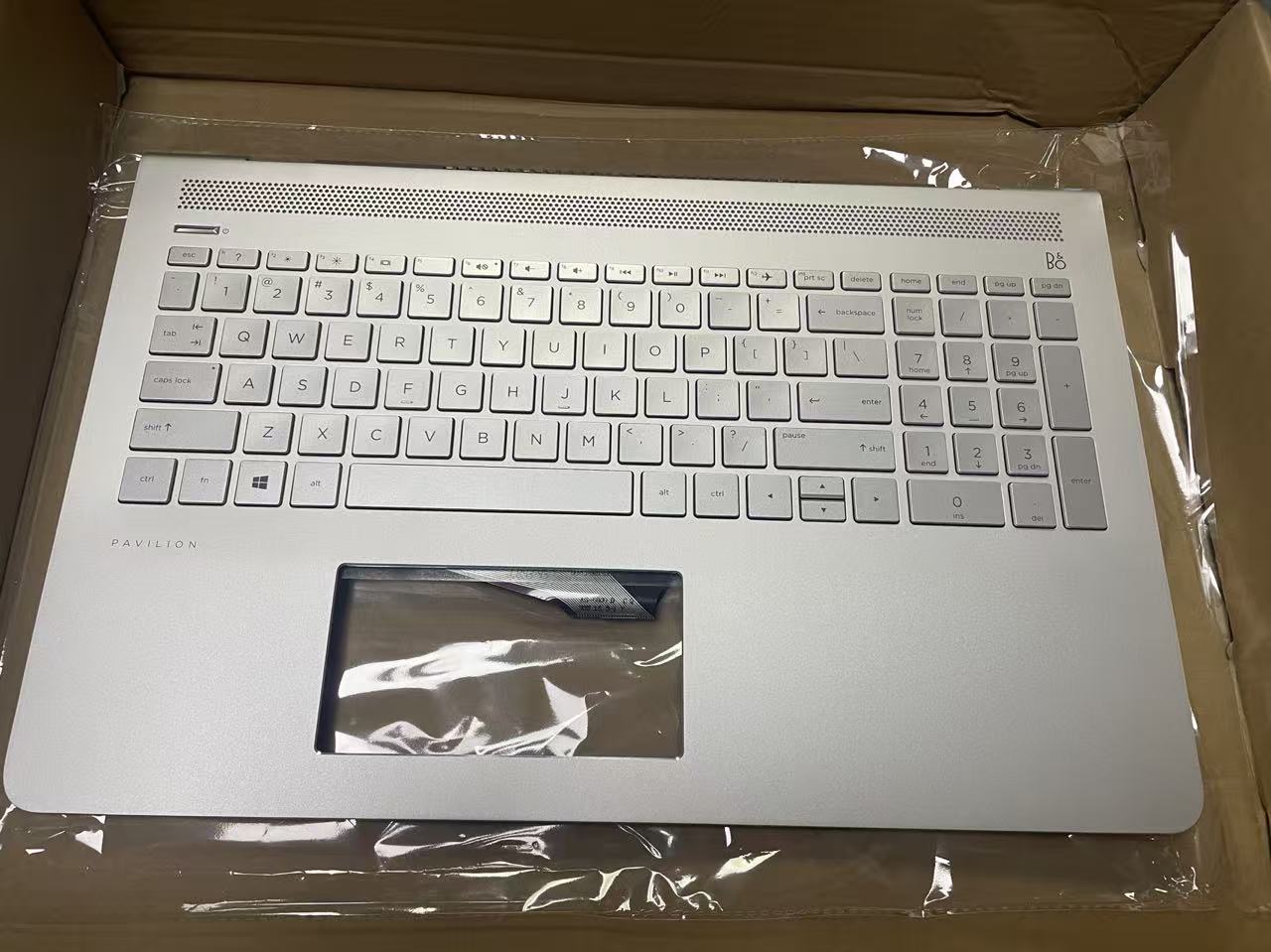
Key Features & Specifications
| Specification | Details |
|---|---|
| Part Numbers | 926859-001, 928438-001 |
| Compatible Models | HP Pavilion 15-CC Series, HP Pavilion 15CD Series |
| Keyboard Type | Backlit Keyboard with Palmrest Assembly |
| Connection Type | Ribbon Cable Connection |
| Backlight Color | White LED Backlight (Standard) |
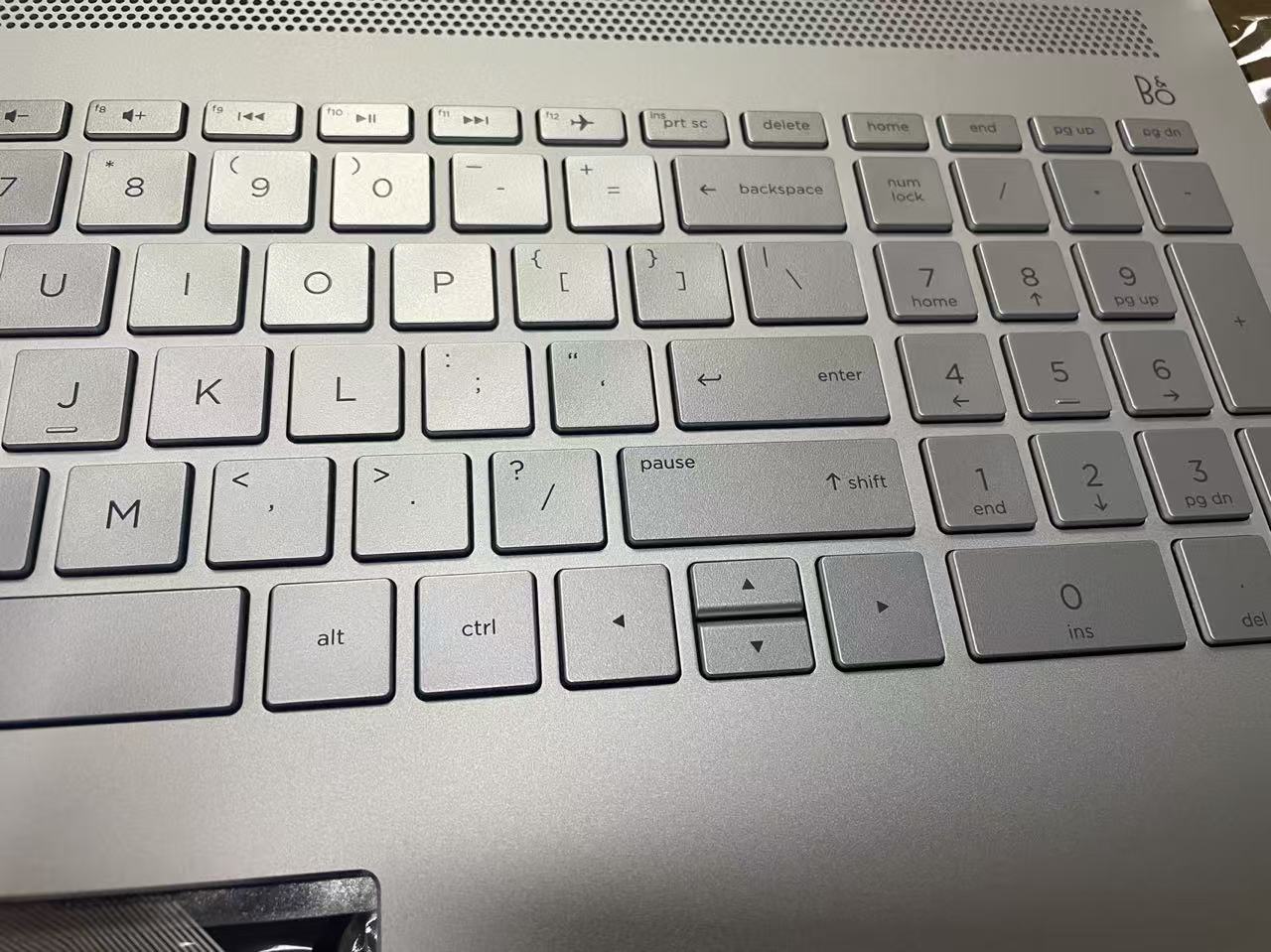
| Key Layout | US QWERTY Layout with Numeric Keypad |
| Material | High-Quality ABS Plastic with Textured Finish |
| Warranty | Compatible with HP Original Warranty Terms |
Compatibility Information
Confirmed Compatible HP Pavilion Models:
- HP Pavilion 15-cc000 Series
- HP Pavilion 15-cc100 Series
- HP Pavilion 15-cc200 Series
- HP Pavilion 15CD Series
- HP Pavilion 15-CCxxx Models
- HP Pavilion 15-CC Laptop Series (2017-2019)
Note: Always verify your specific model number before purchase. The 15-CC and 15CD series share similar chassis designs and keyboard assemblies.
Installation Guide
Recommended Installation Procedure:
1 Power Down: Completely shut down your laptop and disconnect all power sources including AC adapter and battery.
2 Remove Bottom Cover: Carefully remove all screws from the bottom cover and gently pry open the laptop chassis.
3 Disconnect Old Keyboard: Locate the keyboard ribbon cable connector on the motherboard and gently disconnect it.
4 Remove Old Assembly: Remove any screws securing the palmrest/keyboard assembly and carefully lift it out.
5 Install New Assembly: Position the new palmrest/keyboard assembly and secure it with screws.
6 Connect Ribbon Cable: Carefully connect the ribbon cable to the motherboard connector, ensuring proper alignment.
7 Reassemble: Replace the bottom cover, secure all screws, and reconnect power sources.
8 Test Functionality: Power on the laptop and test all keys, backlight functionality, and touchpad operation.
Important Safety Notes:
- Always use proper anti-static precautions when working with laptop components
- Keep track of all screws and their positions during disassembly
- Handle ribbon cables with care to avoid damaging the delicate connectors
- If unsure about installation, consult a professional technician
Frequently Asked Questions (FAQ)
A: Yes, this replacement assembly is designed to be compatible with both HP part numbers 926859-001 and 928438-001, which are essentially the same keyboard assembly with minor manufacturing variations.
A: This is a complete palmrest assembly with integrated keyboard. The palmrest, keyboard, and touchpad are all included as one unit, making replacement much easier than replacing individual components.
A: Yes, the backlight brightness is adjustable through the standard HP keyboard function keys (typically F5 or F9, depending on your specific model). The backlight supports multiple brightness levels and can be turned on/off as needed.
A: You will need a Phillips #00 screwdriver, a plastic spudger or guitar pick for prying, and optionally an anti-static wrist strap. No special tools are required beyond basic laptop repair tools.
A: Yes, the physical dimensions and connector are identical. The backlight functionality will work if your laptop's motherboard supports keyboard backlighting. If your original model didn't have backlighting, the backlight may not function, but the keyboard will work normally.
A: Check the label on the bottom of your laptop for the exact model number. It should start with "15-CC" or "15CD" followed by additional numbers and letters. You can also check in Windows by going to System Information (press Windows + R, type "msinfo32", and look for System Model).
Technical Support & Warranty Information
This replacement part is manufactured to meet or exceed original HP specifications. While we strive to provide the highest quality components, we recommend the following:
- Quality Assurance: Each unit undergoes thorough testing before shipment
- Compatibility Guarantee: Verified compatibility with HP Pavilion 15-CC/15CD series
- Installation Support: Detailed installation guides and technical support available
- Warranty Coverage: Standard 90-day warranty against manufacturing defects
For technical support or compatibility questions, please have your laptop model number and serial number ready when contacting our support team.
Why Choose This Replacement Part?
When replacing critical components like keyboard assemblies, quality matters. Here's why this part stands out:
- OEM Compatibility: Exact match for original HP specifications
- Complete Assembly: Includes palmrest, keyboard, and touchpad for easy installation
- Backlit Functionality: Full backlight support with adjustable brightness
- Quality Materials: Durable construction that matches original HP quality
- Cost-Effective: More affordable than purchasing from HP directly while maintaining quality
- Easy Installation: Designed for straightforward replacement without specialized tools


