

N010-0551-T631 Fujitsu 10.4" Industrial Touch Screen: 2026 Compatibility Guide, ROI Analysis & Predictive Maintenance Strategy
1. Strategic Overview: The N010-0551-T631 in the 2026 Industrial Landscape
As manufacturing floors accelerate toward full IT/OT convergence in 2026, the reliability of human-machine interface (HMI) components has never been more critical. The N010-0551-T631 Fujitsu 10.4-inch touch screen panel remains a cornerstone component for thousands of active industrial control deployments worldwide. This resistive touch panel — designed for Fujitsu's industrial display ecosystem — continues to serve in factory automation, CNC machinery, packaging lines, and process control stations where durability and precision input matter most.
Procurement engineers and system integrators face a strategic decision in 2026: replace entire HMI units at significant capital expense, or extend the service life of proven infrastructure with OEM-grade replacement components like the N010-0551-T631 touch screen panel available at Koeed. The latter approach aligns directly with the sustainability and TCO (Total Cost of Ownership) mandates now prevalent across ISO 50001-certified facilities.
With the global push toward predictive maintenance frameworks — where OT sensors feed real-time data into cloud ERP systems like SAP S/4HANA and Microsoft Dynamics 365 — keeping field-proven HMI hardware operational with certified replacement components like the N010-0551-T631 ensures your digital transformation roadmap stays on budget without sacrificing reliability.
2. Technical Specifications & Compatibility Matrix
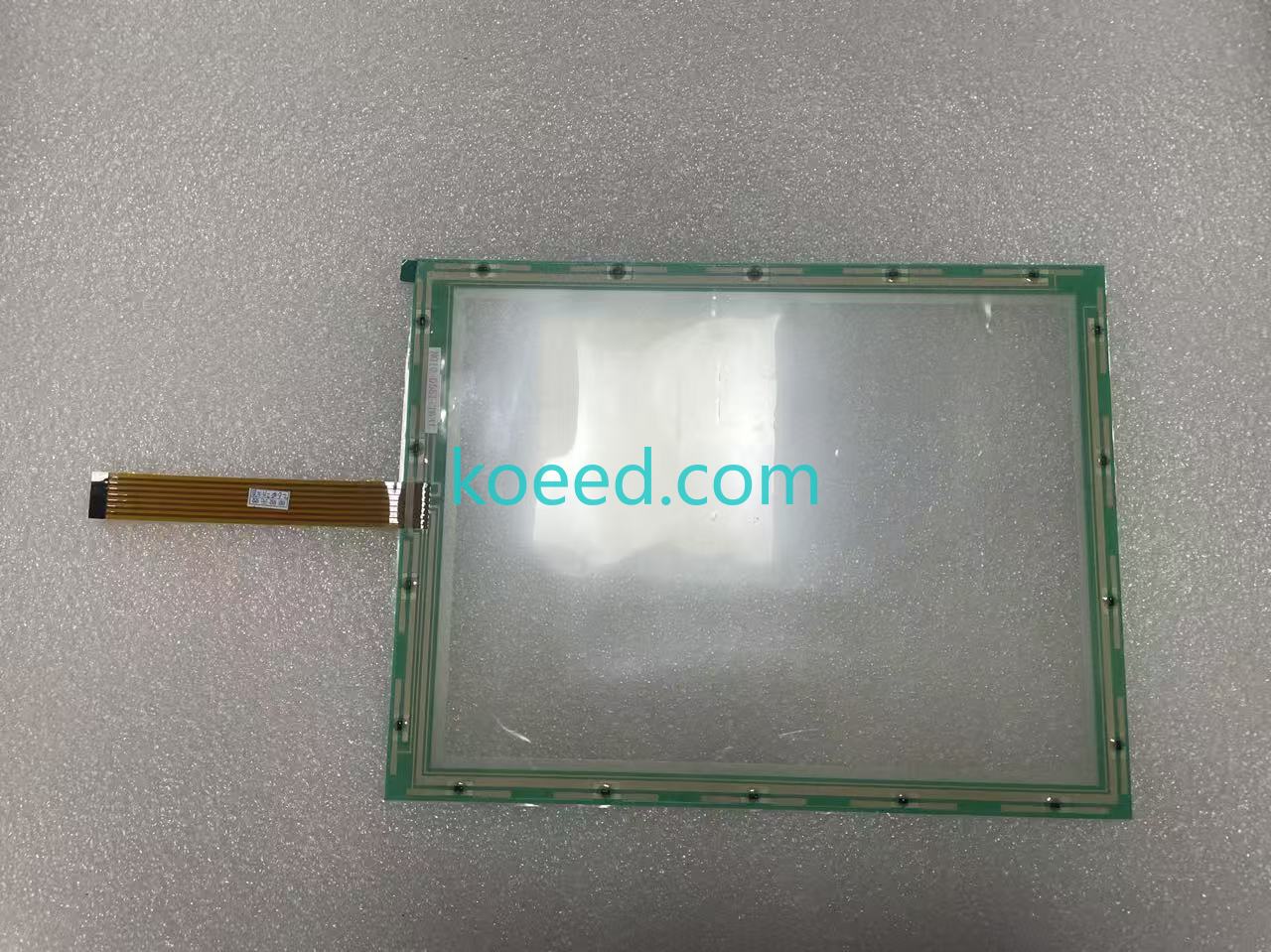
The N010-0551-T631 is a resistive analog touch screen overlay specifically engineered for Fujitsu 10.4-inch TFT industrial display assemblies. Unlike consumer-grade capacitive panels, its resistive architecture ensures reliable operation with gloved hands, in high-vibration environments, and under exposure to industrial contaminants — core requirements for heavy manufacturing and process industries.
2.1 Key Technical Parameters
| Parameter | Specification | 2026 Relevance |
|---|---|---|
| Model Number | N010-0551-T631 | Verified OEM part number for procurement systems |
| Brand | Fujitsu | Tier-1 industrial component manufacturer |
| Panel Size | 10.4 inches (diagonal) | Standard industrial HMI form factor |
| Aspect Ratio | 4:3 | Matches legacy and current Fujitsu display bezels |
| Touch Technology | 4-wire resistive analog | Glove-compatible; immune to EMI interference |
| Application Class | Industrial Control Systems | Factory automation, CNC, process control |
| Surface Durability | Hard-coated PET film | Resistant to scratches and chemical exposure |
| Operating Temperature | -10°C to +60°C (typical range) | Suitable for non-climate-controlled factory floors |
2.2 Cross-Model Compatibility
One of the most compelling reasons to standardize on the N010-0551-T631 is its wide cross-compatibility within the Fujitsu 10.4-inch touch screen family. This single SKU can serve as a drop-in replacement for multiple model variants across your production floor:
| Compatible Model | Relationship | Inventory Simplification Impact |
|---|---|---|
| N010-0551-T631 | Primary / Direct fit | Baseline model |
| N010-0551-T634 | Cross-compatible variant | Single SKU covers both models |
| N010-0551-T621 | Cross-compatible variant | Reduces spare parts inventory by up to 40% |
| N010-0551-T627 | Compatible panel family | Shared mechanical footprint |
3. 2026 IT/OT Convergence: Where N010-0551-T631 Fits
In 2026, the industrial automation architecture has evolved into a three-tier model: Edge (OT) → Fog (Local Processing) → Cloud (IT Enterprise). The humble touch screen remains the critical Edge Interface Layer — the physical point where human operators interact with increasingly complex automated systems.
While much attention is given to OPC UA, MQTT Sparkplug B, and cloud analytics dashboards, the operational reality is that if the touch screen fails, the entire data pipeline is invisible to the operator. The N010-0551-T631 serves as the tactile bridge between your workforce and the digital twin simulations running on your SCADA or MES platform. A degraded or unresponsive touch panel introduces latency into operator decision-making loops — a risk that can cascade into production delays, quality deviations, and safety incidents.
3.1 Predictive Maintenance & Touch Screen Health Monitoring
Forward-thinking maintenance teams in 2026 are integrating touch panel health into their CMMS (Computerized Maintenance Management Systems). A resistive touch panel like the N010-0551-T631 typically exhibits the following degradation signals before complete failure:
- Increased touch force required: Indicates PET surface wear or spacer dot fatigue
- Calibration drift: The OS reports growing X/Y axis deviation from expected coordinates
- Dead zones: Specific screen regions become unresponsive due to ITO (Indium Tin Oxide) coating degradation
- Intermittent ghost touches: Often caused by micro-cracks in the conductive layers
By scheduling N010-0551-T631 replacements during planned maintenance windows — rather than reacting to catastrophic failures — facilities can achieve near-zero unplanned downtime on their HMI stations.
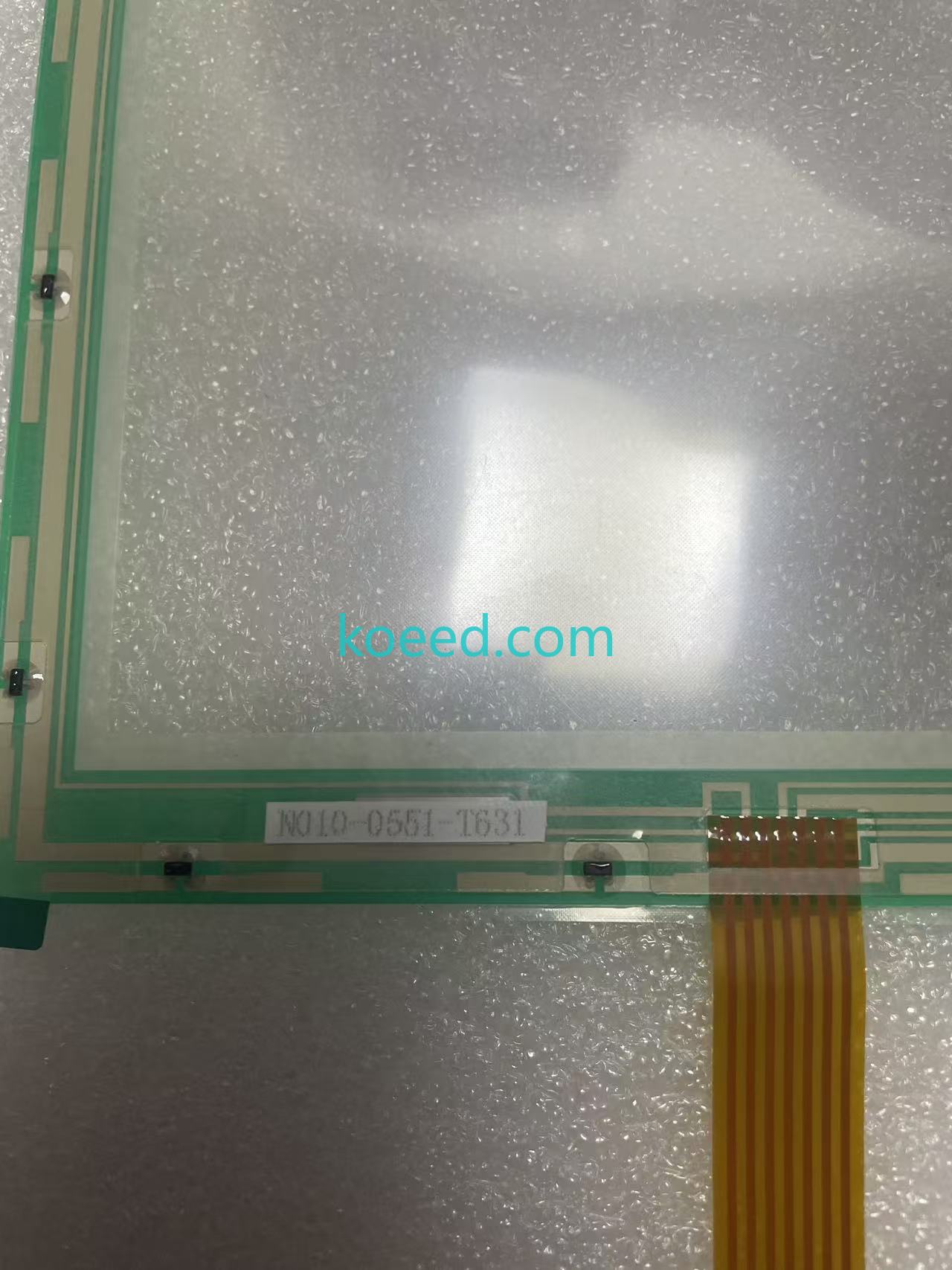
4. Visual Product Gallery
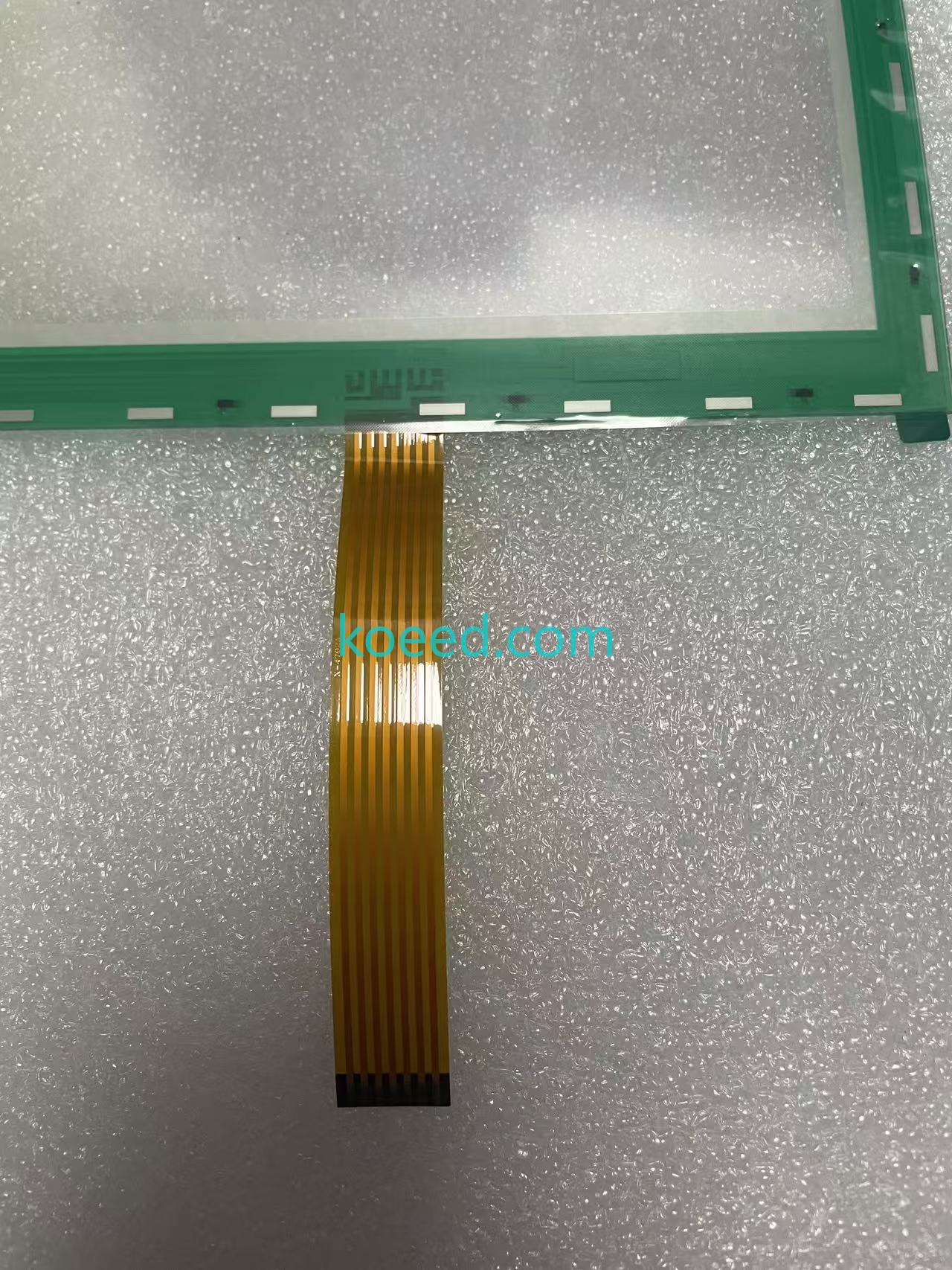
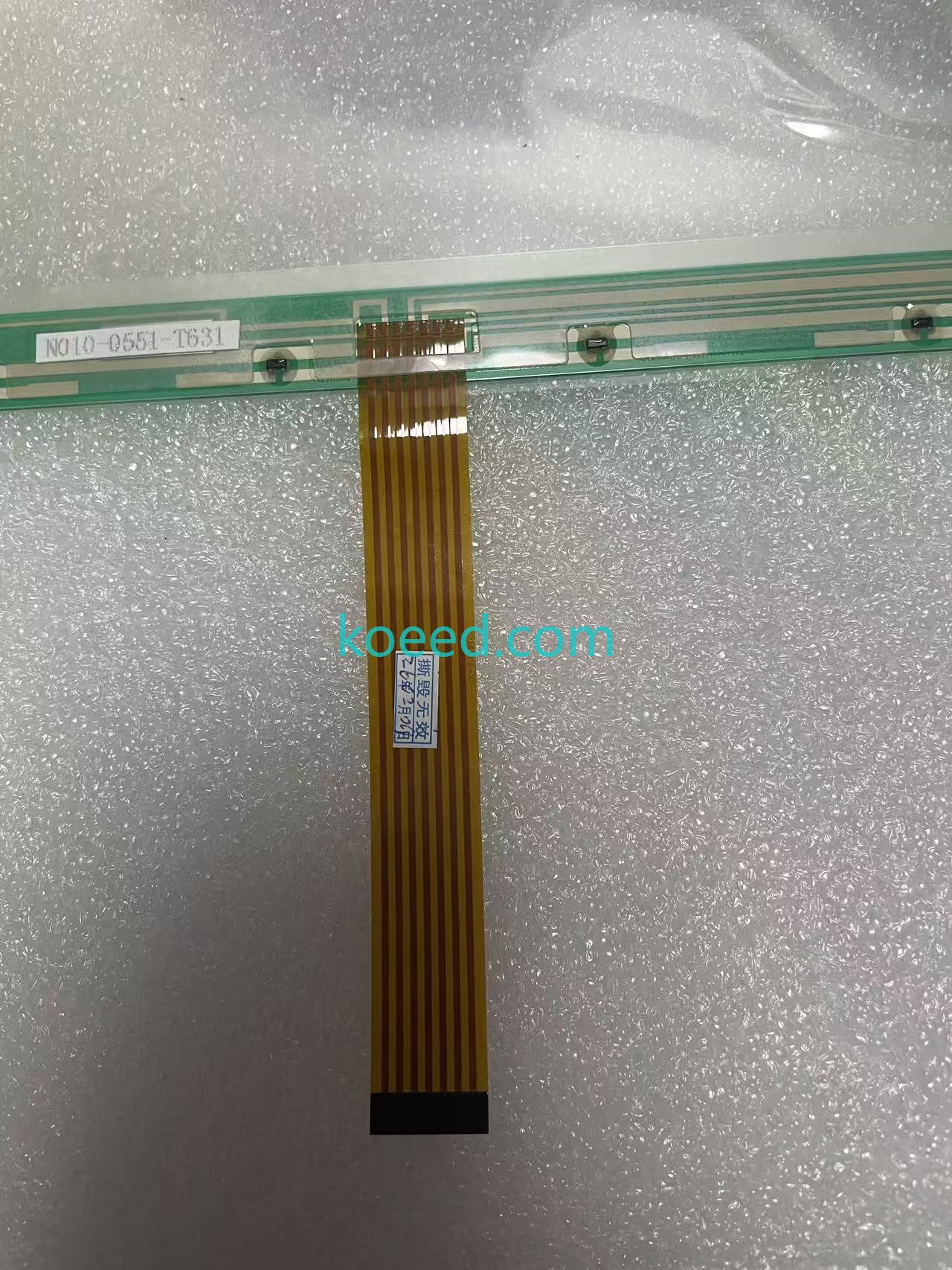
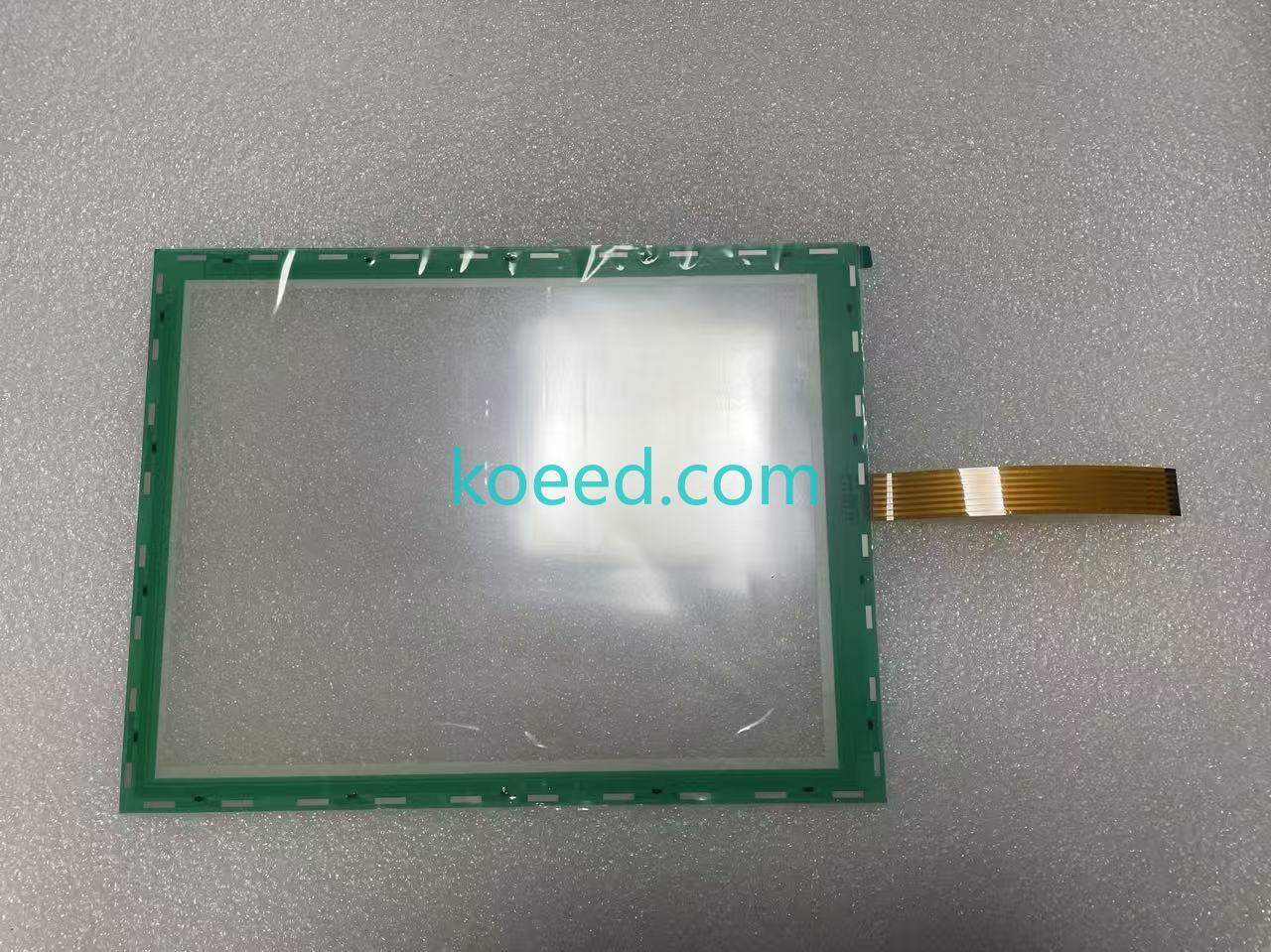
The following images document the N010-0551-T631 from multiple angles, enabling your receiving and QA teams to verify authenticity before installation. All images are sourced from Koeed's verified product inventory.
4.1 Product Demonstration Video
5. Maintenance, Installation & Troubleshooting Protocol
5.1 Installation Best Practices (2026 Standard)
Replacing an aged touch panel with a new N010-0551-T631 is a precision task. Following these field-validated steps ensures maximum service life:
- ESD Protection: Always use a grounded wrist strap and ESD-safe workstation. The ITO layers in resistive panels are sensitive to static discharge.
- Surface Preparation: Clean the LCD surface with isopropyl alcohol (99%) and a lint-free microfiber cloth before applying the new touch overlay. Any particulate trapped between layers will create pressure points and premature failure.
- Alignment: Use the display bezel as your alignment guide. Even a 0.5 mm misalignment can cause edge stress that reduces touch accuracy over time.
- Cable Routing: Ensure the flex ribbon cable follows the original routing path without sharp bends or tension. Secure with Kapton tape if needed — never use standard electrical tape which can leave conductive residue.
- Post-Installation Calibration: Run the Fujitsu touch calibration utility (or the host OS equivalent) and test all four corners plus center with a stylus.
5.2 Common Troubleshooting Scenarios
| Symptom | Probable Cause | Resolution |
|---|---|---|
| No touch response anywhere | Ribbon cable not fully seated / damaged flex | Reseat connector; inspect flex cable for micro-tears; replace panel if cable damaged |
| Intermittent touch in one quadrant | ITO coating wear in that region | Panel end-of-life; order replacement N010-0551-T631 |
| Cursor drifts over time | Calibration data corrupted | Recalibrate via OS; if drift returns within 24h, panel degradation confirmed |
| Ghost touches (phantom inputs) | Micro-cracks in conductive layer / moisture ingress | Immediate replacement required — ghost touches can trigger unintended machine commands |
| Excessive force needed | PET surface hardening / spacer dot compression | Panel approaching end-of-life; plan replacement in next maintenance window |
6. Sustainability & Energy Efficiency Impact
In 2026, ESG (Environmental, Social & Governance) compliance is no longer optional for global manufacturers. The decision to replace a single touch panel overlay rather than an entire HMI unit has measurable sustainability benefits:
- E-Waste Reduction: A full 10.4" HMI unit weighs approximately 2.3–3.5 kg versus the 0.15 kg touch panel. Replacing only the failed component diverts roughly 93% of potential e-waste per repair event.
- Embodied Carbon: Manufacturing a complete HMI generates an estimated 18–25 kg CO₂-eq, compared to approximately 1.2 kg CO₂-eq for a replacement touch panel overlay — a 95% reduction in repair-related carbon footprint.
- Logistics Efficiency: The compact form factor of the N010-0551-T631 allows for consolidated shipping, reducing freight-related emissions and enabling faster customs clearance for international procurement.
7. Frequently Asked Questions
Q: Is the N010-0551-T631 compatible with both the T634 and T621 display models?
Yes. The N010-0551-T631 is a direct cross-compatible replacement for the N010-0551-T634 and N010-0551-T621 variants. All three share the same 10.4-inch 4:3 mechanical footprint and flex ribbon interface. We recommend verifying the ribbon cable pin count on your specific unit before ordering — though in practice, these models are interchangeable.
Q: What is the expected service life of the N010-0551-T631 in a 24/7 production environment?
In continuous 24/7 operation with regular cleaning and proper calibration, a Fujitsu resistive touch panel typically delivers 3–5 years of reliable service. Heavy-use stations (e.g., operator interfaces touched 1,000+ times per shift) may see reduced lifespan toward the lower end of that range. Environmental factors — particularly humidity above 85% RH and exposure to cutting fluids — can accelerate degradation.
Q: Does Koeed provide bulk pricing for multi-unit N010-0551-T631 orders?
Yes. For MRO procurement teams standardizing across multiple production lines, Koeed offers volume-based pricing. Submit a Request for Quote with your quantity requirements, and our B2B sales team will respond with competitive tiered pricing within one business day.
Q: How can I verify that I've received a genuine Fujitsu N010-0551-T631 and not a generic substitute?
Genuine Fujitsu touch panels feature specific markings on the flex ribbon cable and consistent PET surface texture. Koeed sources directly from authorized industrial component channels. The product images in our product gallery can be used as a reference for your receiving inspection. If you ever have authenticity concerns, contact our support team immediately.
Q: What is the typical lead time for N010-0551-T631 orders in 2026?
Koeed maintains strategic inventory of the N010-0551-T631 to support urgent MRO requirements. Standard lead times range from 3–7 business days for most global destinations, with expedited shipping options available. For planned maintenance windows, we recommend ordering 2–3 weeks in advance to ensure uninterrupted delivery.
8. Procurement Action: Secure Your N010-0551-T631 Inventory
In the 2026 industrial automation landscape, supply chain resilience starts with having the right spares on hand. The N010-0551-T631 touch screen panel is a strategic MRO component that protects uptime across your Fujitsu-powered HMI fleet while supporting your sustainability and cost-containment objectives.
Ready to Order or Need Technical Clarification?
Our industrial automation specialists are available to assist with compatibility verification, bulk pricing, and technical documentation.
Published: July 15, 2026 — Koeed B2B Industrial Automation Engineering Team. All specifications verified against manufacturer datasheets and field performance data. For the latest inventory status and pricing on the N010-0551-T631, visit the product page.


